

The MalwareTips app
Your community, one tap away.
Open MalwareTips from your Home Screen or desktop. Follow discussions, find answers and pick up where you left off.
- Home Screen access
- Optional push alerts
- Your community
You're ready to explore.Explore what's new
Installation instructions
iPhone & iPad
- Open MalwareTips in Safari and tap Share. You may need to open the Page Menu first.
- Choose Add to Home Screen. If it is not listed, use Edit Actions to add it.
- Keep Open as Web App enabled if shown, then tap Add.
Android
- Open MalwareTips in Chrome or another browser that supports app installation.
- Open the browser menu and look for Install app, Install and create shortcut, or Add to Home screen.
- Choose Install and confirm. Wording varies by browser.
Desktop
- Chrome: use the install icon in the address bar, or the menu under Cast, save and share.
- Edge: open the menu, then More tools, Apps and Install this site as an app.
- Safari on Mac: choose Share or File, then Add to Dock. Firefox on Windows: look for the web apps button in the address bar.
If you cannot find an install option, update your browser or use its bookmark option to keep MalwareTips close.
Keep up with your conversations
After installation, open the app and sign in. Enable push notifications in Preferences if you want alerts. On iPhone and iPad, push requires a Home Screen web app and iOS or iPadOS 16.4 or later.
Sign in to manage notificationsInstallation is optional. Your notification settings stay under your control.
You are using an out of date browser. It may not display this or other websites correctly.
You should upgrade or use an alternative browser.
You should upgrade or use an alternative browser.
malwarebytes not finding malware, issues with running scan and bluescreen
-
 Thread starter
Gbaby614
Thread starter
Gbaby614
- Start date
- 328 Replies
- 63,916 Views


Im not sure if u want this one, it wasnt combofix.txt but in DeQuarantine was
C:\Qoobox\Quarantine\C\Program Files (x86)\CyberLink\DVD Suite\MUITransfer\MUIStartMenu.exe.vir -> C:\Program Files (x86)\CyberLink\DVD Suite\MUITransfer\MUIStartMenu.exe
C:\Qoobox\Quarantine\C\Program Files (x86)\CyberLink\LabelPrint\MUITransfer\MUIStartMenu.exe.vir -> C:\Program Files (x86)\CyberLink\LabelPrint\MUITransfer\MUIStartMenu.exe
C:\Qoobox\Quarantine\C\Program Files (x86)\CyberLink\Power2Go\MUITransfer\MUIStartMenu.exe.vir -> C:\Program Files (x86)\CyberLink\Power2Go\MUITransfer\MUIStartMenu.exe
C:\Qoobox\Quarantine\C\Program Files (x86)\CyberLink\PowerDirector\MUITransfer\MUIStartMenu.exe.vir -> C:\Program Files (x86)\CyberLink\PowerDirector\MUITransfer\MUIStartMenu.exe
C:\Qoobox\Quarantine\C\Program Files (x86)\Hewlett-Packard\Media\Webcam\MUITransfer\MUIStartMenu.exe.vir -> C:\Program Files (x86)\Hewlett-Packard\Media\Webcam\MUITransfer\MUIStartMenu.exe
C:\Qoobox\Quarantine\C\Program Files (x86)\CyberLink\DVD Suite\MUITransfer\MUIStartMenu.exe.vir -> C:\Program Files (x86)\CyberLink\DVD Suite\MUITransfer\MUIStartMenu.exe
C:\Qoobox\Quarantine\C\Program Files (x86)\CyberLink\LabelPrint\MUITransfer\MUIStartMenu.exe.vir -> C:\Program Files (x86)\CyberLink\LabelPrint\MUITransfer\MUIStartMenu.exe
C:\Qoobox\Quarantine\C\Program Files (x86)\CyberLink\Power2Go\MUITransfer\MUIStartMenu.exe.vir -> C:\Program Files (x86)\CyberLink\Power2Go\MUITransfer\MUIStartMenu.exe
C:\Qoobox\Quarantine\C\Program Files (x86)\CyberLink\PowerDirector\MUITransfer\MUIStartMenu.exe.vir -> C:\Program Files (x86)\CyberLink\PowerDirector\MUITransfer\MUIStartMenu.exe
C:\Qoobox\Quarantine\C\Program Files (x86)\Hewlett-Packard\Media\Webcam\MUITransfer\MUIStartMenu.exe.vir -> C:\Program Files (x86)\Hewlett-Packard\Media\Webcam\MUITransfer\MUIStartMenu.exe

Fiery
Level 1
Gbaby614 said:Im not sure if u want this one, it wasnt combofix.txt but in DeQuarantine was
C:\Qoobox\Quarantine\C\Program Files (x86)\CyberLink\DVD Suite\MUITransfer\MUIStartMenu.exe.vir -> C:\Program Files (x86)\CyberLink\DVD Suite\MUITransfer\MUIStartMenu.exe
C:\Qoobox\Quarantine\C\Program Files (x86)\CyberLink\LabelPrint\MUITransfer\MUIStartMenu.exe.vir -> C:\Program Files (x86)\CyberLink\LabelPrint\MUITransfer\MUIStartMenu.exe
C:\Qoobox\Quarantine\C\Program Files (x86)\CyberLink\Power2Go\MUITransfer\MUIStartMenu.exe.vir -> C:\Program Files (x86)\CyberLink\Power2Go\MUITransfer\MUIStartMenu.exe
C:\Qoobox\Quarantine\C\Program Files (x86)\CyberLink\PowerDirector\MUITransfer\MUIStartMenu.exe.vir -> C:\Program Files (x86)\CyberLink\PowerDirector\MUITransfer\MUIStartMenu.exe
C:\Qoobox\Quarantine\C\Program Files (x86)\Hewlett-Packard\Media\Webcam\MUITransfer\MUIStartMenu.exe.vir -> C:\Program Files (x86)\Hewlett-Packard\Media\Webcam\MUITransfer\MUIStartMenu.exe
Ah, that's the log I wanted.
Have you tried restarting your PC?
Fiery said:Gbaby614 said:Im not sure if u want this one, it wasnt combofix.txt but in DeQuarantine was
C:\Qoobox\Quarantine\C\Program Files (x86)\CyberLink\DVD Suite\MUITransfer\MUIStartMenu.exe.vir -> C:\Program Files (x86)\CyberLink\DVD Suite\MUITransfer\MUIStartMenu.exe
C:\Qoobox\Quarantine\C\Program Files (x86)\CyberLink\LabelPrint\MUITransfer\MUIStartMenu.exe.vir -> C:\Program Files (x86)\CyberLink\LabelPrint\MUITransfer\MUIStartMenu.exe
C:\Qoobox\Quarantine\C\Program Files (x86)\CyberLink\Power2Go\MUITransfer\MUIStartMenu.exe.vir -> C:\Program Files (x86)\CyberLink\Power2Go\MUITransfer\MUIStartMenu.exe
C:\Qoobox\Quarantine\C\Program Files (x86)\CyberLink\PowerDirector\MUITransfer\MUIStartMenu.exe.vir -> C:\Program Files (x86)\CyberLink\PowerDirector\MUITransfer\MUIStartMenu.exe
C:\Qoobox\Quarantine\C\Program Files (x86)\Hewlett-Packard\Media\Webcam\MUITransfer\MUIStartMenu.exe.vir -> C:\Program Files (x86)\Hewlett-Packard\Media\Webcam\MUITransfer\MUIStartMenu.exe
Ah, that's the log I wanted.
Have you tried restarting your PC?
I restarted and no video device detected.. also I looked in device manager under display adapters and it will NOT let me update it, I have an update in my windows update and it WILL NOT let me update it from there either.. seeing it is an integrated webcam could this be part of the problem? Is something else in the logs or quarantine preventing this??
I should be seeing Imaging Device in the device manager and I still dont
Fiery
Level 1
I have basically restore everything except the bad entries from combofix's quarantine folder.. Can you open the files below with notebad again and copy the content?
C:\Qoobox\Quarantine\Registry_backups\SafeBoot-WudfRd.reg.dat
C:\Qoobox\Quarantine\Registry_backups\SafeBoot-WudfPf.reg.dat
C:\Qoobox\Quarantine\Registry_backups\SafeBoot-WudfRd.reg.dat
C:\Qoobox\Quarantine\Registry_backups\SafeBoot-WudfPf.reg.dat
did quarantine remove anything IDT?? i looked it up and that is Integrated Device Technology
yes.. one sec.. again this msg did not show until i posted my last post...
Fiery said:I have basically restore everything except the bad entries from combofix's quarantine folder.. Can you open the files below with notebad again and copy the content?
C:\Qoobox\Quarantine\Registry_backups\SafeBoot-WudfRd.reg.dat
C:\Qoobox\Quarantine\Registry_backups\SafeBoot-WudfPf.reg.dat
yes.. one sec.. again this msg did not show until i posted my last post...
Windows Registry Editor Version 5.00
[HKEY_LOCAL_MACHINE\SYSTEM\CurrentControlSet\Control\SafeBoot\Minimal\WudfRd]
@="Driver"
Windows Registry Editor Version 5.00
[HKEY_LOCAL_MACHINE\SYSTEM\CurrentControlSet\Control\SafeBoot\Network\WudfRd]
@="Driver"
Windows Registry Editor Version 5.00
[HKEY_LOCAL_MACHINE\SYSTEM\CurrentControlSet\Control\SafeBoot\Minimal\WudfPf]
@="Driver"
Windows Registry Editor Version 5.00
[HKEY_LOCAL_MACHINE\SYSTEM\CurrentControlSet\Control\SafeBoot\Network\WudfPf]
@="Driver"
[HKEY_LOCAL_MACHINE\SYSTEM\CurrentControlSet\Control\SafeBoot\Minimal\WudfRd]
@="Driver"
Windows Registry Editor Version 5.00
[HKEY_LOCAL_MACHINE\SYSTEM\CurrentControlSet\Control\SafeBoot\Network\WudfRd]
@="Driver"
Windows Registry Editor Version 5.00
[HKEY_LOCAL_MACHINE\SYSTEM\CurrentControlSet\Control\SafeBoot\Minimal\WudfPf]
@="Driver"
Windows Registry Editor Version 5.00
[HKEY_LOCAL_MACHINE\SYSTEM\CurrentControlSet\Control\SafeBoot\Network\WudfPf]
@="Driver"
Fiery
Level 1
Ok, let's restore that too. Open notepad and copy the following:
Choose all file type and save as fix2.reg and merge it like last time. Then restart
Now we have restored everything CF deleted.
Windows Registry Editor Version 5.00
[HKEY_LOCAL_MACHINE\SYSTEM\CurrentControlSet\Control\SafeBoot\Minimal\WudfPf]
@="Driver"
[HKEY_LOCAL_MACHINE\SYSTEM\CurrentControlSet\Control\SafeBoot\Network\WudfPf]
@="Driver"
[HKEY_LOCAL_MACHINE\SYSTEM\CurrentControlSet\Control\SafeBoot\Minimal\WudfRd]
@="Driver"
[HKEY_LOCAL_MACHINE\SYSTEM\CurrentControlSet\Control\SafeBoot\Network\WudfRd]
@="Driver"
Choose all file type and save as fix2.reg and merge it like last time. Then restart
Now we have restored everything CF deleted.
Fiery
Level 1
Gbaby614 said:I hope I didnt hurt anything, I found an Intel driver reinstall from the recovery mgr.. it was the closest thing to the one I could update in windows update.. if not i will be back after reboot
The list in recovery manager includes all the software, even if you already have them.
Did you do a reinstall?
Fiery said:Gbaby614 said:I hope I didnt hurt anything, I found an Intel driver reinstall from the recovery mgr.. it was the closest thing to the one I could update in windows update.. if not i will be back after reboot
The list in recovery manager includes all the software, even if you already have them.
Did you do a reinstall?
it said it reinstalled a driver but i dont see any difference in anything.al. so i did a few important updates from microsoft as a search gave the idea if i did the updates a fix may have been in there.. going to do the above in safe mode now.. will return to let u know if it worked..
Fiery said:Please try that in safe mode (restart your laptop and tap F8 continuously until you get to the advance boot option and select[/b] Safe mode [/b]
Then try to merge again then restart your laptop
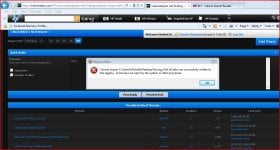
it wouldnt merge in safe mode either, i had safe mode w networking tho.. It keeps saying a file is open or being used that is preventing the merge?
Fiery
Level 1
Let's try this:
Open OTL. Under custom scan/fixes, copy and paste the following:
Then click Run Fix. Let your PC reboot to normal mode. A new log will be created automatically, post the content in the next reply.
Open OTL. Under custom scan/fixes, copy and paste the following:
:reg
[HKEY_LOCAL_MACHINE\SYSTEM\CurrentControlSet\Control\SafeBoot\Minimal\WudfPf]
@="Driver"
[HKEY_LOCAL_MACHINE\SYSTEM\CurrentControlSet\Control\SafeBoot\Network\WudfPf]
@="Driver"
[HKEY_LOCAL_MACHINE\SYSTEM\CurrentControlSet\Control\SafeBoot\Minimal\WudfRd]
@="Driver"
[HKEY_LOCAL_MACHINE\SYSTEM\CurrentControlSet\Control\SafeBoot\Network\WudfRd]
@="Driver"
:commands
[reboot]
Then click Run Fix. Let your PC reboot to normal mode. A new log will be created automatically, post the content in the next reply.
is there anything in the quote that shouldn't have gotten copied to the fix.reg2??
ok i will try this
Fiery said:Let's try this:
Open OTL. Under custom scan/fixes, copy and paste the following:
:reg
[HKEY_LOCAL_MACHINE\SYSTEM\CurrentControlSet\Control\SafeBoot\Minimal\WudfPf]
@="Driver"
[HKEY_LOCAL_MACHINE\SYSTEM\CurrentControlSet\Control\SafeBoot\Network\WudfPf]
@="Driver"
[HKEY_LOCAL_MACHINE\SYSTEM\CurrentControlSet\Control\SafeBoot\Minimal\WudfRd]
@="Driver"
[HKEY_LOCAL_MACHINE\SYSTEM\CurrentControlSet\Control\SafeBoot\Network\WudfRd]
@="Driver"
:commands
[reboot]
Then click Run Fix. Let your PC reboot to normal mode. A new log will be created automatically, post the content in the next reply.
ok i will try this
i just found this log on C:/
========== REGISTRY ==========
Unable to set value : HKEY_LOCAL_MACHINE\SYSTEM\CurrentControlSet\Control\SafeBoot\Minimal\WudfPf\\@|"Driver" /E!
Unable to set value : HKEY_LOCAL_MACHINE\SYSTEM\CurrentControlSet\Control\SafeBoot\Network\WudfPf\\@|"Driver" /E!
Unable to set value : HKEY_LOCAL_MACHINE\SYSTEM\CurrentControlSet\Control\SafeBoot\Minimal\WudfRd\\@|"Driver" /E!
Unable to set value : HKEY_LOCAL_MACHINE\SYSTEM\CurrentControlSet\Control\SafeBoot\Network\WudfRd\\@|"Driver" /E!
========== COMMANDS ==========
OTL by OldTimer - Version 3.2.69.0 log created on 02032013_231708
========== REGISTRY ==========
Unable to set value : HKEY_LOCAL_MACHINE\SYSTEM\CurrentControlSet\Control\SafeBoot\Minimal\WudfPf\\@|"Driver" /E!
Unable to set value : HKEY_LOCAL_MACHINE\SYSTEM\CurrentControlSet\Control\SafeBoot\Network\WudfPf\\@|"Driver" /E!
Unable to set value : HKEY_LOCAL_MACHINE\SYSTEM\CurrentControlSet\Control\SafeBoot\Minimal\WudfRd\\@|"Driver" /E!
Unable to set value : HKEY_LOCAL_MACHINE\SYSTEM\CurrentControlSet\Control\SafeBoot\Network\WudfRd\\@|"Driver" /E!
========== COMMANDS ==========
OTL by OldTimer - Version 3.2.69.0 log created on 02032013_231708
Recently browsing
Members who viewed this thread in the last 5 minutes
You may also like...
-

-
 Serious Discussion Questions events after infection
 - P
-

-
