Serious Discussion Microsoft Edge Stable (Chromium) Now Available for Download

I was referring to my exact issue since I ran Edge 5-6 minutes after I turned on my PC. At log on an Edge update task is run for all users.
Sorry, I misunderstood. Oops 🤭
BTW, right now I'm facing your bug too. So, it's surely not DNS related. Anyway, thankfully it's not a very serious bug.
Yeah, it's just annoying.
 
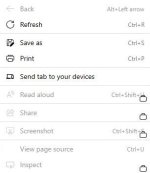
How do I disable this annoying "music" icon?

I cannot believe how Edge continues to surprise me.

1749060114576.png
 
I cannot believe how Edge continues to surprise me.
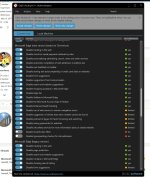
MS philosophy: Oh, there is some empty space, lets put something "useful" there. I just automatically disable everything new, but it is hard to keep up, it is hidden all over. 😩

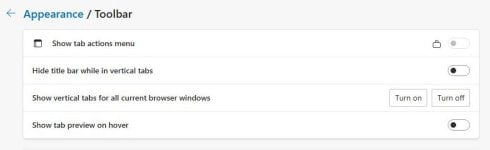
I did not know even know that you can disable tab preview, since they have removed tab hover flag. I have found it by accident.

capture_06052025_102401.jpg
 
How do I disable this annoying "music" icon?

I cannot believe how Edge continues to surprise me.

View attachment 288954
This has been in chrome for a few years now. I actually like this feature since it also shows other castable devices on my network and I can easily cast something from my PC to the TV. I can also see what someone is watching on another device eg: TV. I have two very young cousin who live in the flat next to us and they often watch YouTube on our TV. So, when I'm at home I can check right from my browser in case, they are watching something that they shouldn't. I always had to open Chrome to check this but now I can check from Edge.
 
A couple of days ago I noticed that an online FPS game that I play made Edge run in the background. There was no indication that Edge was running. I only realized after I heard a notification sound from my "Checker Plus for Gmail" extension while I was playing the game.
There was also this process in task manager named, "Game assist" with Edge's logo. After searching online, I realized that it's a feature that has been added recently to Windows's Game Bar function 😕 My game happens to be on the list of supported games, so game assist runs when I run the game. Game Assist basically means that it runs MS Edge in the background.
Game assist can be uninstalled but on reddit some users said that it comes back when Edge is updated. Maybe uninstalling game bar disables it. Users who have uninstalled game bar probably won't experience this. I don't want to uninstall game bar for some reasons, so I did this instead after finding it on reddit.
Click the ⚙️ on the Gamebar > More Settings > Widgets > Disable all the Gaming Assist.
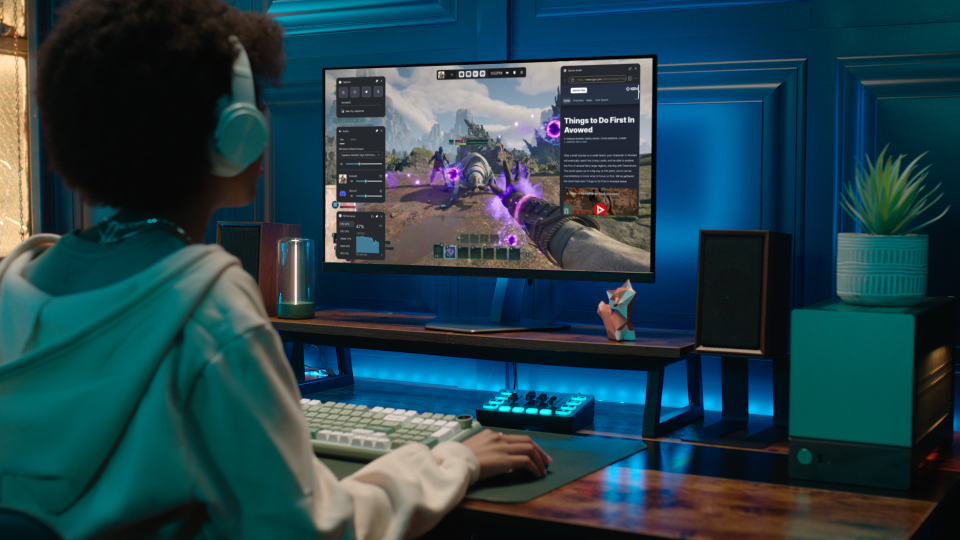
That way the Edge process shouldn't start if you use the Gamebar.
 
A couple of days ago I noticed that an online FPS game that I play made Edge run in the background. There was no indication that Edge was running. I only realized after I heard a notification sound from my "Checker Plus for Gmail" extension while I was playing the game.
There was also this process in task manager named, "Game assist" with Edge's logo. After searching online, I realized that it's a feature that has been added recently to Windows's Game Bar function 😕 My game happens to be on the list of supported games, so game assist runs when I run the game. Game Assist basically means that it runs MS Edge in the background.
Game assist can be uninstalled but on reddit some users said that it comes back when Edge is updated. Maybe uninstalling game bar disables it. Users who have uninstalled game bar probably won't experience this. I don't want to uninstall game bar for some reasons, so I did this instead after finding it on reddit.

I have no game bar, and Game Assist keep reinstalling with every Edge update!
 
  • Like
Reactions: Sorrento
Version 137.0.3296.83

No release notes yet.
Version 137.0.3296.83: June 13, 2025
Fixed various bugs, feature updates and performance issues for Stable Channel.

Feature updates
  • Secure Password Deployment in the Edge management service. The secure password deployment feature in the Edge management service enables admins to deploy encrypted shared passwords to a set of users, allowing them to log into websites seamlessly without ever seeing the actual passwords. This reduces the risk of unauthorized access and enhances the organization's overall security posture.
Stable channel security updates are listed here.
Microsoft Edge VersionDate ReleasedBased on Chromium Version
137.0.3296.836/13/2025137.0.7151.103/.104
 
How to you make stuff like Games, Applications and Performance not appear on the 3 dots menu?
I don't like using 3rd party apps unless absolutely necessary because they might break stuff in future and they give that ugly button called "Your browser is managed by your organization".
1750409651832.png