Unmaintained WiseVector Free AI Driven Security

@WiseVector

I installed about more than a week ago, WV on windows10 and I uninstalled on yesterday with Iobit Uninstaller. On today, I noticed that a few dlls remained in the WV folders. I succeeded in removed most of them except two files. I can't remember which ones remained as this occured in my friend's computer.
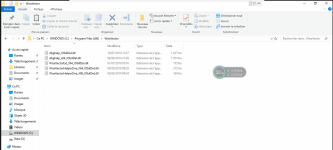
Wisevector after uninstallation.png
 
hello Wisevector, thank you for all your support

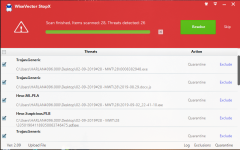
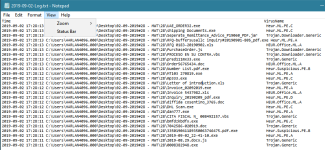
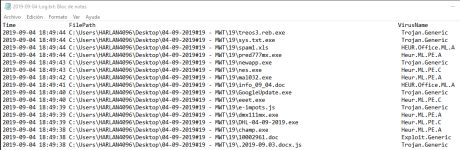
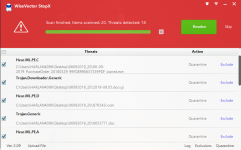
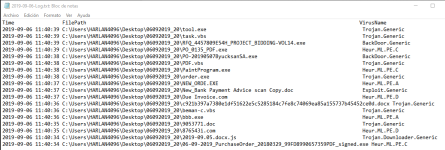
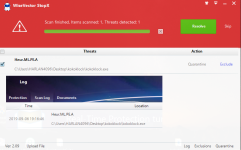
I want to report this incident. Please have a look at this ransomware:

it was detected by Realtime protection -> I turned off realtime protection to test Advanced malware protection and ransomware protection modules
it was blocked but successfully encrypted the virtual machine before being blocked. It encrypted extremely fast that WV could not react quickly enough
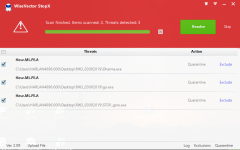
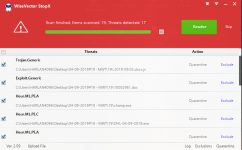
I tested it twice to confirm the result

The test I posted is here

Thank you
Hi Evjl's Rain,

Thanks for your testing and feedback.
1. We will do research on the sample and get WiseVector StopX improved to fight against such kind of ransomware.
2. Please go to "Settings>Advance>Anti-Ransomware Setting>Enable document protection" and click "Set up" (please refer to the screenshot). Please add the folders or files which you want to protect particularly. After doing this, ransomware can be kept from your computer nearly 100%.
1.JPG


Regards,
WiseVector
 
Last edited:
@WiseVector

I installed about more than a week ago, WV on windows10 and I uninstalled on yesterday with Iobit Uninstaller. On today, I noticed that a few dlls remained in the WV folders. I succeeded in removed most of them except two files. I can't remember which ones remained as this occured in my friend's computer.

View attachment 223117
Hi floalma,

Can you delete these files remained directly right now?
WiseVector StopX has it's own unistaller which is very convenient to be used. If you want to remove WiseVector StopX completely, please use it.
No need to use other uninstallers.

Thank you & Regards,
WiseVector
 
Please check the attached file, these 2 files, I can't delete it. Both are still in the WV folder.

Hi floalma,

Can you delete these files remained directly right now?
WiseVector StopX has it's own unistaller which is very convenient to be used. If you want to remove WiseVector StopX completely, please use it.
No need to use other uninstallers.

Thank you & Regards,
WiseVector
 

Attachments

  • wise vector.png
    wise vector.png
    152.4 KB · Views: 368
Please check the attached file, these 2 files, I can't delete it. Both are still in the WV folder.
iobit should delete them on boot but it doesn't

you can download this program -> install -> delete those 2 files -> uninstall Wise force deleter
 
I think this antivirus is excellent. I only have one criticism for this product and is its graphical interface and icon, I know you have an option to change the skin but still the product is really ugly visually. Well it's just an opinion. Best regards. :)

Hi Lobito Punky,

Thanks for your interest in WiseVector StopX.
It may have a ugly appearance but a nice and powerful heart inside. :LOL:

Regards,
WiseVector

Please check the attached file, these 2 files, I can't delete it. Both are still in the WV folder.

Hi floalma,

As you have deleted all other files of WV, the two DLL will never be loaded.
Please boot into Safe Mode to try to delete them or do what Evjl's Rain have suggested.

Regards,
WiseVector
 
Last edited: