


A child says someone offered free game currency. They insist they never paid anything, but now an item is missing and the account looks different.
Start with what they shared and what changed. A conversation about the missing item can wait while you check whether anyone else is still signed in.
Overview
Find out what happened before changing settings
Free Robux and V-Bucks scams can leave very different problems behind. A child who opened a page needs different help from a child who approved a sign-in.
Ask them what the other person wanted, what they entered or shared, and whether they can still open Roblox or Fortnite. Avoid asking them to demonstrate the offer again.
Roblox’s account safety guidance warns against sharing passwords, browser cookies, and verification codes. A request for account data doesn’t become legitimate because it came from a friend.
Match the response to the exposure
- If your child saw the offer and did nothing, help them report the specific message or game. They don’t need to test whether the offer works.
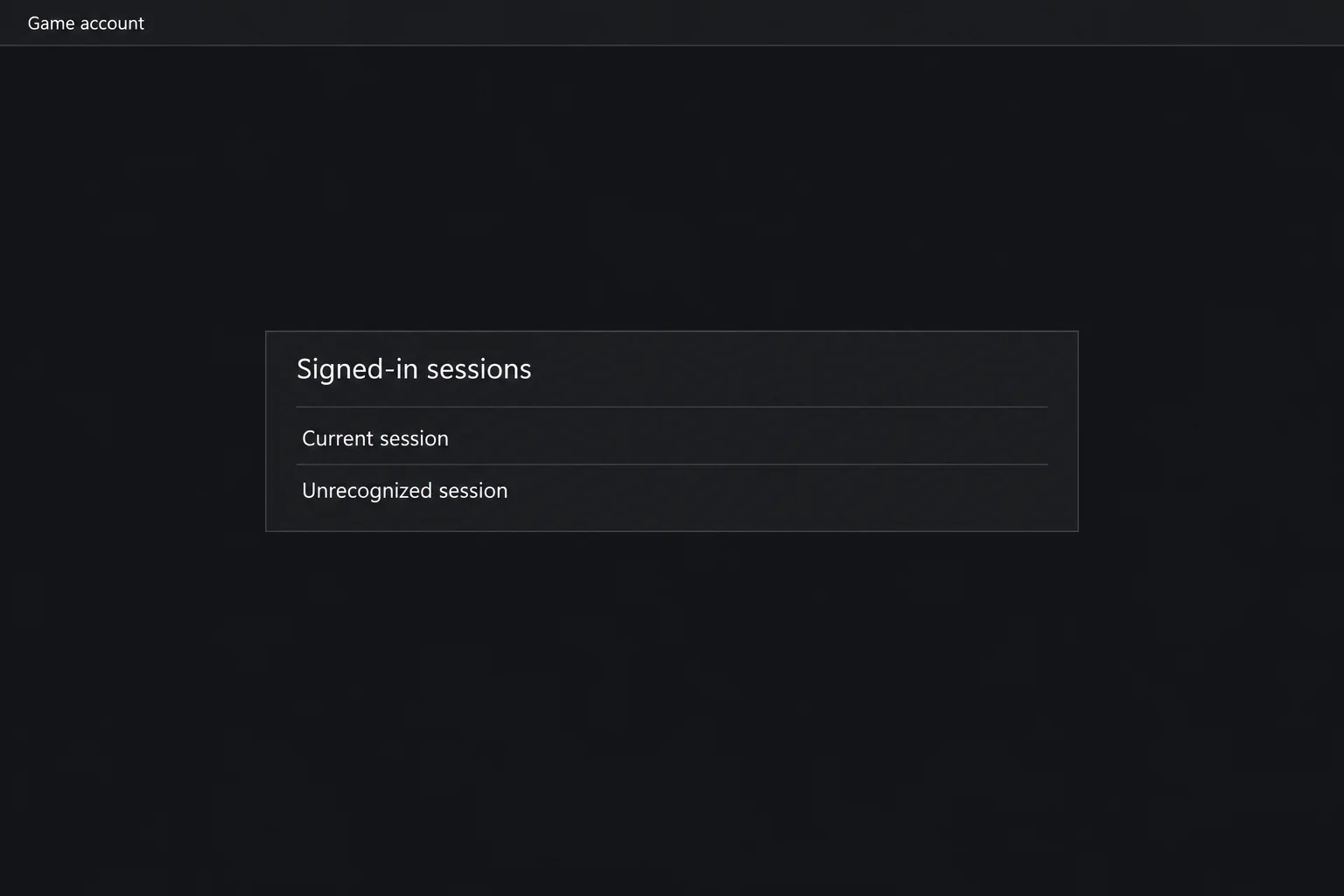
- If they entered a password, approved access, or shared session information, secure the account and review active sessions from a device you trust.
- If they traded an item or real money was charged, save the trade and payment records. You’ll need different contacts for those two problems.
An item disappearing alone doesn’t establish that your child shared a password. Read the account and trade records before deciding whether somebody signed in.
A discount and an official gift card aren’t the same thing
Epic’s purchase guidance distinguishes authorized V-Bucks channels from unofficial pages. An outsider asking to log in for your child isn’t a normal gift-card purchase.
Roblox lists legitimate ways to obtain Robux. An unofficial generator or private message claiming to multiply a balance does not fit those routes.
If you want to buy currency, open the genuine store independently. Don’t sign in to a seller’s page simply because the price is lower than the amount in the game.
Start With a Calm, Private Conversation
Ask questions the child can answer without reliving the scam
Begin with the last screen they remember. Was it a chat, a store, an in-game window, or a page they reached from a video?
Ask whether they entered something, approved a prompt, or sent an item. Knowing who first invited them matters less than knowing what action actually took place.
Write down the account name and approximate time, without writing down the password. If the child’s friend sent the link, that friend’s account could also have been misused.
Explain that the next step is to protect the account, not take the game away. A child who expects punishment is less likely to show you the next suspicious message.
Pick a trusted place to recover access
If your child installed a file or extension at the offer’s request, recover the account from a different trusted device while the original is checked.
Otherwise, close the untrusted page and open the platform through a known app or website. A sign-in window inside a game experience is not the place to recover access.
If the game uses an account linked to your child’s console, identify the underlying account before resetting anything. Don’t unlink accounts in the hope that it will restore items.
Secure a Roblox Account You Can Still Open
Check the session list in Security
Sign in through the Roblox app or your usual Roblox bookmark. Open the website’s gear menu or More in the app, choose Settings, and select Security.
In Where you’re logged in, review the device, approximate location, and last activity. The Roblox session management guide notes that some old entries may show incomplete information.
If you recognize the current session and want to end other access, select Log Out of All Other Sessions. That control keeps the session you are currently using.
An approximate location may not match your street or city. Use the combination of activity and device information instead of treating location alone as proof of compromise.
Reset the password and check recovery
Make sure you can access the account’s recovery email before ending the only session you control. Secure that mailbox if its password was shared or reused.
Set a new unique Roblox password and use the Security settings to enable two-step verification. Follow the enrollment instructions in Roblox rather than relying on a code someone sends.
Check that the registered email is verified before setting up protection. In Security, turn on your chosen method and finish the prompts in the account.
The Roblox two-step verification instructions explain how methods differ. If you save recovery codes, store them somewhere the child won’t accidentally paste them into a conversation.
If you can no longer sign in, use Roblox’s hacked-account support route. The platform may ask for ownership evidence, such as the original email or the first payment’s billing email.
Contact Roblox promptly if you’re seeking help after a compromise. Its support page specifies a 30-day window and doesn’t guarantee the return of missing items or currency.
Secure the Epic Games Account Behind Fortnite
Review access from the Epic account page
Start with the account email address, especially if the recovery message doesn’t arrive. An attacker with access to that mailbox may be able to undo a password change.
Open Epic Games account settings independently and choose Password and security. Set a unique password and review the options for two-factor authentication.
To end active sessions, open Sign out everywhere in that section and choose Sign out. Epic says it sends a security code to the registered email.
Enter that code only on the official account settings screen you opened yourself. Keep your means of signing in and receiving the code before disconnecting other sessions.
If the account email changed, switch to recovery
If you cannot sign in or a stranger replaced the registered email, use Epic’s compromised-account procedure. Don’t buy a recovery service from someone in a chat.
Tell official support which sign-in methods your family previously used. Preserve ordinary ownership records, such as platform receipts and the original account email, without sharing payment codes.
After restoring access, check account details, security settings, and purchases again. Access restored and items returned are separate outcomes, and support may need to look at them separately.
Separate a Missing Item From a Real-Money Charge
Report the relevant game message or trade
If the child agreed to send an item first, preserve the exchange and trade details. An informal promise doesn’t give the game a guaranteed way to reverse it.
On Roblox, open the in-experience menu and use its Report controls to choose the person or experience. Roblox asks for the specific offending content when reporting abuse.
Do not send more currency to recover a previous trade. Ask support what it can investigate, and keep the request separate from a report about unauthorized account access.
Identify who processed the charge
Open the purchase record tied to the affected account. Compare it with the card transaction, including merchant, date, amount, and whether the charge is pending.
Epic’s billing guidance distinguishes its own purchases from console or mobile-store billing. Start with the store that actually processed the payment.
Contact the issuer promptly for a charge you did not approve. Don’t mark a charge as fraudulent merely because you didn’t recognize your child’s approved purchase at first.
What to Do After an Offer for Free Game Currency
- Identify the account and what was shared. Save the message or trade record privately without reopening an unfamiliar site or collecting passwords.
- If login details or account access were shared, secure the recovery email. Use the Roblox or Epic account settings above to replace the password and end other access.
- If the child can’t sign in, start the platform’s ownership recovery process. Preserve relevant receipts and note the previous account email for official support.
- Check recent trades, game purchases, and card activity. Report the affected purchase through the store that processed it and tell the issuer about unauthorized charges.
- Report the original in-game message, experience, or sender through the platform. Give enough context to explain the request without sharing the child’s private information publicly.
- Review spending and communication controls together after securing the account. Confirm the settings apply to the device and family account your child actually uses.
Set Up Spending Rules That Survive the Next Offer
Check the controls on Roblox and the console
In a linked parent account, open Settings, then Parental controls, and select your child’s account. Under Settings you manage, open Spending restrictions and look for Monthly spending limit.
Enter the desired amount and select Update if the option is available. Verify the saved limit and choose notifications that fit your family’s needs.
Roblox’s parental controls guide says available settings change with age. A missing spending-limit control doesn’t necessarily mean the parent account is linked incorrectly.
Its spending-limit documentation says Roblox limits don’t affect gift card redemption and may not apply on certain consoles. Check the console’s own approval controls as well.
Turn on purchase approval for eligible Epic payments
Launch Fortnite, select the player icon at the top right, and open its menu icon. Choose Parental Controls, then Set Up Parental Controls.
Confirm an email address you control and choose a distinct parent PIN. Keep the PIN private, because it is also used to change the settings later.
Epic outlines the setup process including what to do if the account has no linked email. Don’t replace the child’s account just to reach those settings.
Once parental controls are set up, open Purchasing Permissions. Turn on Require a PIN for Epic Games Payments to require approval for eligible real-money purchases.
Epic’s purchasing controls explain that this setting doesn’t apply to purchases through other store platforms or to spending V-Bucks already in the account.
If the family plays on a console, check its account and payment controls too. Verify which adult account receives approvals instead of assuming a game-level rule covers every device.
Make a rule for offers that appear in a conversation
Agree that a gift does not need your child’s password, security code, or browser data. If the other person asks for any of those, the conversation stops.
Have your child show you the platform’s genuine store while you’re together. The next time a friend sends a prize link, they have something familiar to compare it with.
Check the Account Again After Recovery
Make a second pass when nobody is rushing
Return to the same security list after signing back in. Confirm you still control recovery details and that other active sessions match your family’s devices.
Review purchases and recent trades again after the account is secure. A charge can settle later, and a support request you opened earlier may need the final transaction reference.
If a new session or changed recovery detail appears again, tell support what returned and when. That is more useful than repeating the entire reset from memory.
Confirm that the child can sign in using the new details without handing you their password. You want working recovery, not an account your family can no longer open.
Keep the recovery routine simple enough to use again
Have the child practice where to find the Report control in a familiar game without filing a test report. Ask them which requests they should bring to you.
Make it clear that you’re willing to help even if the offer came from a friend. They can stop responding without accusing the friend or reopening the original link.
Frequently Asked Questions
Can unofficial sites generate free Robux or V-Bucks?
Don’t trust a generator that asks for access or sends you through verification tasks. Use the acquisition routes Roblox or Epic actually documents for its platform.
My child only opened the link. Do we need to reset everything?
Opening a page does not establish account takeover. Ask whether anything was submitted or installed, then check the game account for unexplained activity if you have reason for concern.
Is changing the game password enough if a session was shared?
Review and end unrecognized sessions as well. Also secure the recovery mailbox and check whether new contact details or purchases appeared.
Will the platform restore missing currency or a traded item?
Do not count on restoration, especially for an off-platform promise or voluntary trade. Report what happened promptly and ask support what evidence it needs.
Which company should handle an unfamiliar Fortnite charge?
Start with the store that processed it, which may be Epic or a console or mobile platform. Contact the issuer promptly for a payment you did not approve.
Does a Roblox spending limit protect console purchases and gift cards?
Not in every situation, because the Roblox control isn’t universal. Its official documentation explains gift-card and console limitations, so review the family controls on the console too.
The Bottom Line
Do not use an unofficial generator or share account access to get game currency. If a child already responded, find out what they shared before deciding how to recover.
Close unfamiliar sessions, protect the recovery email, and handle missing items separately from unauthorized charges. Once the account is secure, agree on how your child will report the next offer.

Join the discussion
0 commentsShare your experience or ask a question about this article.
Discussion
Start the conversation
Have a question or something useful to share? Add the first comment.