


An outgoing text to 7727 on your phone bill can be confusing when there is no matching conversation in your Messages app.
It looks close to the familiar spam-reporting number, but those last digits are not interchangeable. The bill, the phone and your carrier can each answer different questions.
Overview
7726 is the documented manual reporting number
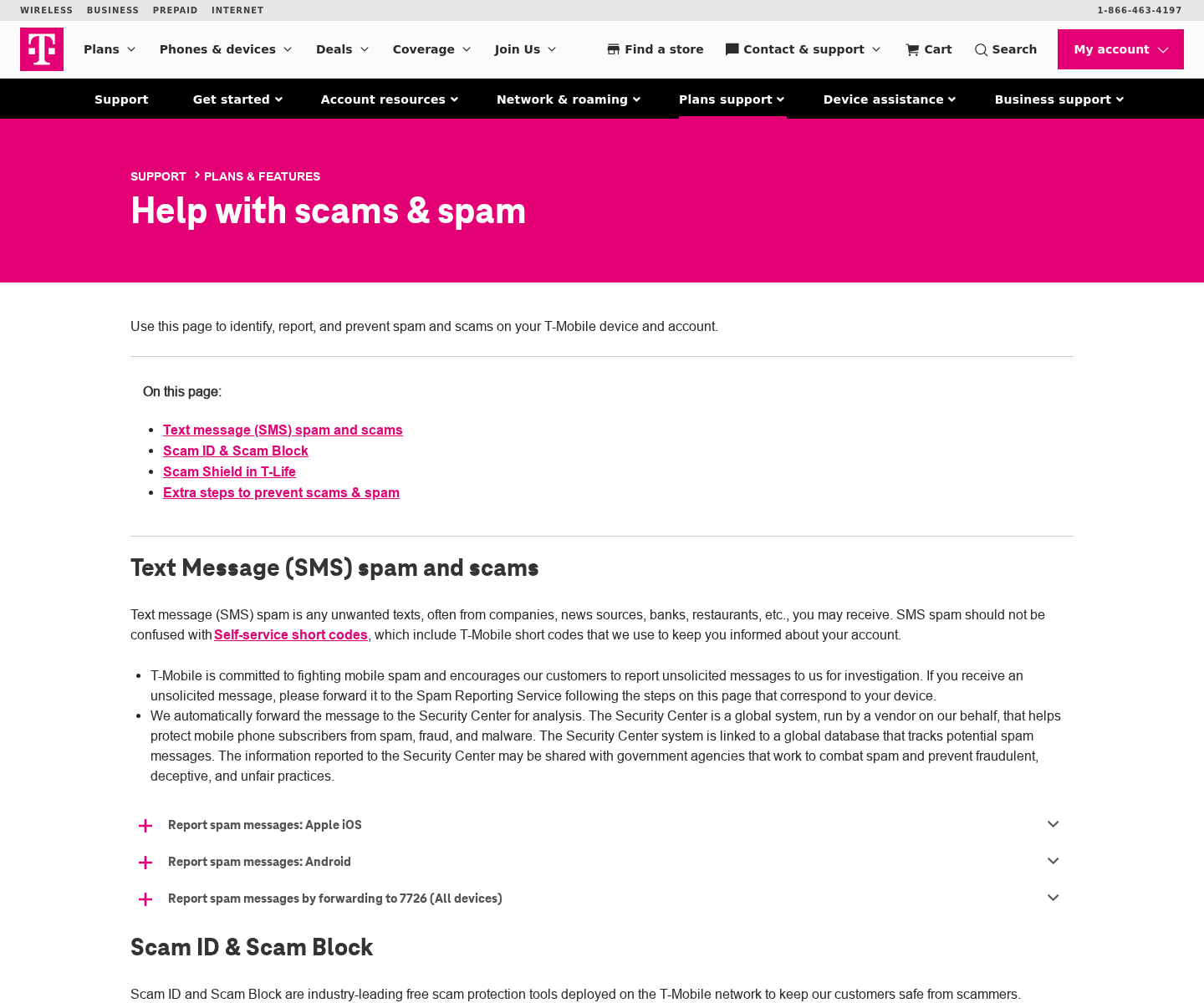
In the United States, the FTC tells consumers to forward suspicious texts to 7726, which spells SPAM on a standard phone keypad.
Verizon and T-Mobile also publish instructions for 7726. You do not need to figure out what an unfamiliar billing code means before using the documented route.
A 7727 entry does not explain itself
Some phone owners report seeing a 7727 entry after reporting junk. Apple confirms carrier reporting can happen, but its public instructions do not identify 7727 as a universal destination.
Neither a matching timestamp nor an online comment tells you how your exact line handled the message. Ask your carrier to identify the entry if you cannot account for it.
Separate the bill, the report and the original message
- A carrier usage row records an event the account presents.
- An actual charge belongs in the billing details.
- The original spam text is the message you may need to report.
- An incoming reply is something to verify, not an instruction to trust.
If you see unexpected charges or separate changes on the account, handle those through the carrier. Do not treat a short code as proof of either safety or compromise.
How to Check an Outgoing 7727 Entry Without Guessing
Step 1: Open the account directly and identify the affected line
Sign in through the carrier app you already use or type the carrier’s address yourself. Avoid any sign-in link supplied by a text about the same bill.
Choose the current or relevant billing period, then open usage details for the exact phone line. A shared account can show records for more than one phone.
Write down the displayed short code, date, time and whether the event was inbound or outbound. Confirm you are looking at 7727 and not a similar sequence.
Look for the event type as well. A row marked text or picture is not the same thing as an itemized purchase, premium service fee or account change.
Check the billed amount rather than assuming that an item listed under usage cost extra. If the amount is not clear, ask the carrier how it displays charges.
Step 2: Compare the timing with the phone’s actual activity
Ask whether anyone using the affected line marked a message as junk around that time. If you helped someone else use the phone, check which line they had selected.
A time match makes a report a reasonable possibility. A carrier record can be presented in a different time zone, and a date alone is not a reliable match.
On iPhone, Apple separates reports for iMessage from SMS, MMS and RCS. With carrier-supported reporting, the latter can share the sender and message through the carrier’s reporting path.
Apple also says reporting and deleting a message can remove it from the phone. The missing conversation is consistent with that action but does not prove it happened.
If there is no matching reporting activity, do not recreate the event with a private text or verification code. A test would add another row without explaining the original one.
Step 3: Ask the carrier to identify the specific event
Open support inside the carrier app, use the contact number printed on an established bill, or sign in through the carrier’s website before opening a support chat.
Supply the line, date, time, direction and exact code when asked in that verified channel. Keep other account rows or family members’ messages out of the screenshot.
Ask whether the entry was generated by an in-app spam report, a separate short-code service or another type of event. Then ask whether there was a charge.
If support cannot tell you what it was, ask them to record the inquiry and clarify whether your line has an unexpected premium service or account change.
Keep the carrier’s answer and reference privately. If the row recurs, compare the new event against that response rather than applying one explanation to every later message.
What to record when the bill only shows a short summary
Some summaries show dates and destinations but leave out the line’s detailed activity. Open the full statement or the carrier’s usage view before making a comparison.
If you are looking at a shared phone plan, start with the last few digits of the affected line. A phone nickname is not necessarily how the bill labels it.
Compare the date the event happened with the date it posted to the bill. They can appear in different parts of the account, especially around a cycle change.
Keep a screenshot of the line item with your question, not a full statement with everyone’s call history. The carrier can request additional details in its secure channel.
If the entry is shown as incoming, do not force an explanation about an outgoing spam report onto it. Ask what sent it and what the event type means.
A code can be associated with a service without establishing that a particular message was legitimate. Even a familiar-looking sender is not a shortcut to account verification.
Do not sign in through an address supplied by a message claiming to explain your bill. Find the same issue in the carrier app you opened independently.
How to Report a Scam Text to 7726 Instead
The FTC’s spam text guidance lists 7726 as a manual reporting route. Your carrier can tell you if another option applies to your line or region.
Open the message in your usual messaging app without opening its link or attachment. Press and hold the suspicious text, then look for the app’s forward option.
On iPhone, that option typically appears after choosing More beneath a pressed message bubble. Use the forward arrow rather than replying inside the original conversation.
On Android, press and hold the specific message and look for Forward in its menu. Some carrier and app versions offer a dedicated spam-report action instead.
Select a new recipient and type 7726. Check the digits before sending, especially if you started the process while looking up an entry with a different final digit.
Forward the suspicious message, not a separate conversation containing payment details or a password. The point is to report what the sender actually sent to you.
Verizon’s published process says to provide the suspicious sender’s number if its reporting reply asks for it. That is not a request for your own login code.
If your provider’s documented flow differs, use its instructions. Do not send identifying account information to an incoming text that says it can finish a spam report.
After forwarding, keep the original message only as long as you need it for the report or another dispute. If you save evidence, keep links inactive and private.
Use the forwarding route for the sender’s message, not an entire thread. Prior replies may include information you supplied that is unrelated to the carrier’s report.
For example, an unsolicited delivery text can be forwarded without logging into a delivery service. Check real deliveries from the retailer’s app or your separate order history.
If the forwarded message contains multimedia your app will not send, do not download the attachment to try again. Ask the carrier about its supported reporting tools.
A missing automated acknowledgement is not proof your phone was compromised. If confirmation matters to a dispute, ask the carrier what it can verify from your report.
When the iPhone Report Button Is Enough and When It Is Not
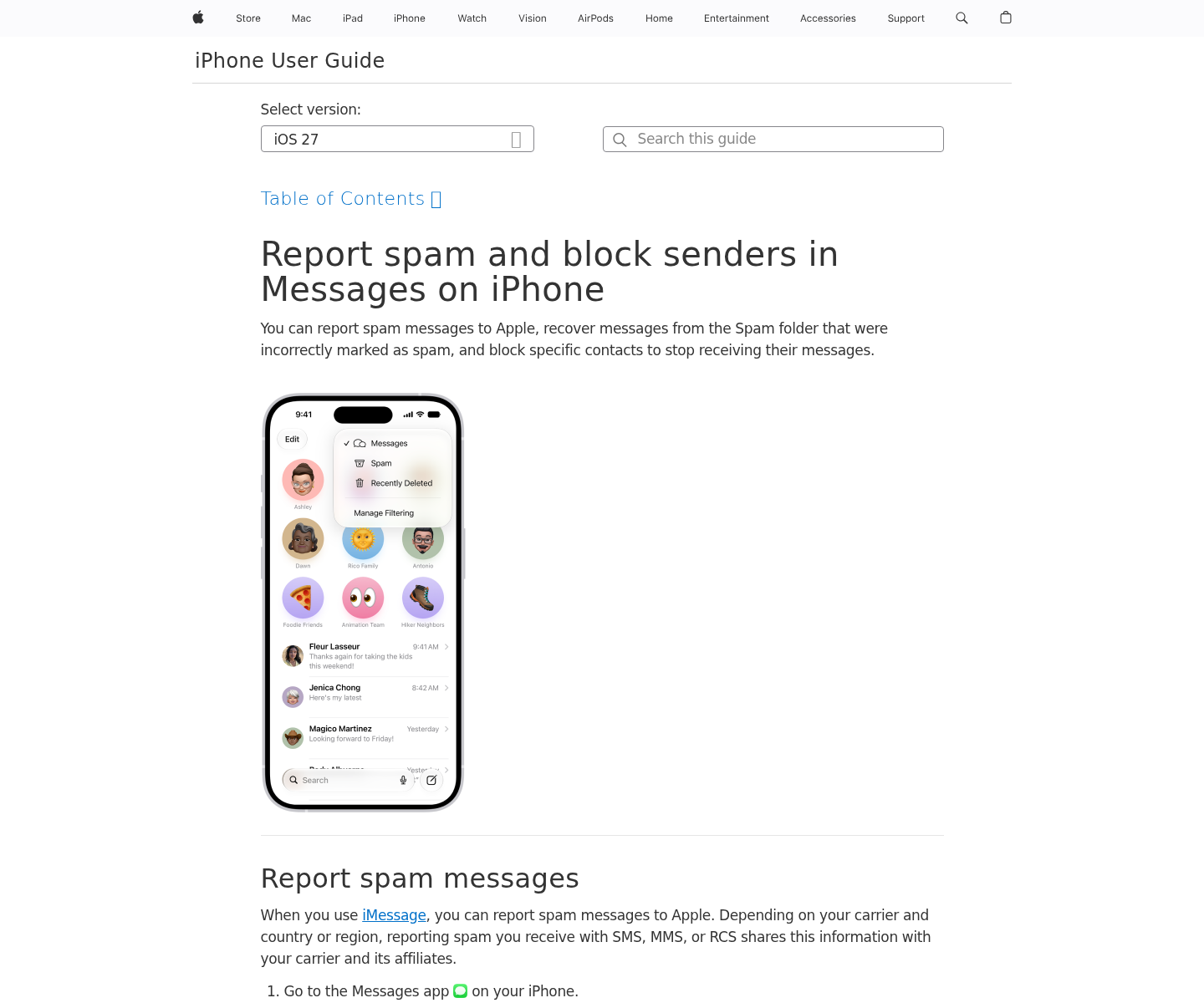
Apple describes a built-in report action for messages from unknown senders. If the message is unopened, swipe left on it, tap Delete, then choose the option to report.
If the conversation is already open, look for the report action near the message. Depending on iOS version, the label may use Spam or Junk.
Read the confirmation before continuing. Report and delete is more than simply sending the conversation to your own Trash, and the available recovery behavior can vary.
Keep a minimal record before reporting if the message is evidence of a payment problem or an account incident. Do not retain or circulate anyone else’s private information.
Apple’s Messages guide explains why the option may be absent: SMS, MMS and RCS reporting can depend on carrier and location, and replying can prevent in-app reporting.
If you do not see a report option, use the confirmed forwarding route for your provider. Do not send another reply just to make the report action appear.
Reporting a text and blocking its sender are different choices. If the same number keeps contacting you, block it separately using your normal messaging controls.
A new number can still deliver similar bait. Treat carrier reporting as a way to flag messages, not as a guarantee that matching texts will disappear forever.
Keep three outcomes distinct when you want fewer interruptions
Filtering unknown senders can move messages out of the main conversation list. It does not necessarily tell a carrier that an individual text was fraudulent.
Blocking can stop another message from the same sender in the application you used. It does not resolve the question of an unfamiliar outgoing entry on an account.
Submitting a report can give the carrier or platform a sample for review. It does not require you to keep a conversation open or respond to its author.
For a text you expected from a doctor’s office or bank, verify it through a known channel before you mark it as spam. A short sender alone is inconclusive.
What to Do If You See a Charge or a Suspicious Reply
-
Review the details for the affected line and save the relevant item. Note whether you actually see a billed amount or only a usage entry.
-
Ask the carrier to confirm the service and charge through its ordinary support route. If there is an unfamiliar premium service, ask how to dispute it.
-
If a reply asks for a passcode, card details or a sign-in through a link, stop and contact the carrier directly. A short sender does not authenticate it.
-
If regular texts suddenly stopped or you see unauthorized line changes, contact carrier support from another device. Ask specifically about SIM, number transfer and account-access changes.
-
If you submitted credentials to the original spam message, change them through the real service. For payment information, contact your bank using its known number or app.
-
If all you did was report junk, do not reset the phone based on a bare bill row. Verify what it records and keep the report reference.
Customers on a family plan may need the account owner to see line-level detail. Ask them for the specific event instead of sharing an entire statement.
When you have several entries, collect the pattern rather than calling from inside the suspicious thread. Support can compare relevant times without needing your unrelated text history.
Carrier reporting and a fraud dispute solve very different problems. Forwarding a text will not reverse a payment, remove a premium service or repair a stolen login.
The T-Mobile reporting instructions give both app and forwarding options. Use the procedure for your own carrier and messaging app, not a route suggested by the sender.
For a US scam report beyond the carrier, open ReportFraud directly. If money or access was lost, deal with the bank or account provider first.
If you already replied but shared nothing sensitive, stop the exchange and report what happened. Your next steps depend on what the sender received, not the exact short code.
For an unresolved billing dispute, write down any support case number. A record of who explained the charge and when can make the next conversation more productive.
Outside the United States, check your own carrier’s reporting policy before using a number from this guide. Routing and reporting availability can differ by country and plan.
Frequently Asked Questions
Is 7727 the same as 7726?
No, 7726 is the documented US manual spam-reporting number. A row labeled 7727 is a different observation to check with the provider for that line.
Can a report generate a usage entry without a saved chat?
Carrier-supported app reporting can share information without creating an ordinary conversation you can revisit. Only your carrier can confirm what a particular entry represents.
Am I charged whenever a code appears under usage?
A usage row and a charge are not necessarily the same. Compare it with the billing details and ask the provider about any actual fee.
Should I answer a message claiming my spam report failed?
Do not send credentials or payment information. If you need to check the report, use a fresh session in your provider’s app or official support page.
Will reporting the text stop that number from sending again?
Not by itself in the documented iPhone flow. Use the separate block option if you also want to stop messages from that sender.
What if I do not recognize any activity around that time?
Save the date, line and event details, then ask your provider to identify it. Also check for actual charges or account changes, which warrant their own response.
The Bottom Line
Use 7726 to manually report a suspicious US text where your carrier supports it. Do not substitute 7727 just because the two numbers look almost identical.
For an unexplained billing entry, verify the line, timing and charge with your provider. Address any unauthorized activity separately rather than trusting a guess about the short code.

Join the discussion
0 commentsShare your experience or ask a question about this article.
Discussion
Start the conversation
Have a question or something useful to share? Add the first comment.