


Finding an old address on a people-search site can be unsettling, especially when the site looks like several others you found in the same search.
Search People FREE offers a removal form, but the email that starts the process is easy to mistake for confirmation that the listing is already gone.
Overview
Start with the domain the listing actually uses
This guide covers the opt-out on searchpeoplefree.com. The exact domain matters because similar names can lead to different forms, contacts and privacy policies.
The comparison is not just theoretical. The .us website with a similar name displays a different removal page. Do not send a .com listing to it.
Start with the current search result and record where the listing actually opens. A search engine headline or the logo alone does not identify the correct removal route.
The email link opens the actual removal form
The first screen takes your name and an email address so the site can send a link. Opening it is not the final action either.
According to the site, you then submit matching information in the second form. That submission produces a confirmation screen and a separate email acknowledging the request.
Keep four markers separate when you check your progress:
- The listing URL tells you which record you are working on.
- The first email makes the second form available.
- The confirmation tells you a request is being processed.
- Opening the original URL later checks what the site still displays.
Removal and the search listing are separate checks
The site says to allow three days after the completed request. A stale search result may still link to a removed or changed page during that period or afterward.
Removing a page from this website does not change a government record, remove an unrelated directory page or close an account you may have with another provider.
Prepare the Request Without Sending More Information Than You Need
Begin at the result that alerted you. Open it and check the current address bar before copying the final profile link into a local note.
If you came from a search results page, do not copy the search engine’s whole results URL. You want the address of the profile that opened.
Record the version of your name and location shown on that page. You do not need to collect every relative’s name or save a full background report.
If the search result opens a page with several people, identify the correct listing before continuing. Shared names alone are not enough to make a removal request.
Check a second clue that you recognize, such as a town where you actually lived. If neither the age nor location fits, leave the other record alone.
An outdated address can be the clue that matches the exposed profile. Do not replace it with your current address merely because the first looks wrong.
Write the listing URL and the name variant on one line. Save any limited proof locally instead of posting a screenshot that gives an address wider circulation.
If the same name is visible on a separate domain, note that address on a different line. Changing one entry does not confirm the other one changed.
How to Complete the SearchPeopleFREE Opt-Out
Step 1: Start at the .com Record Removal Request
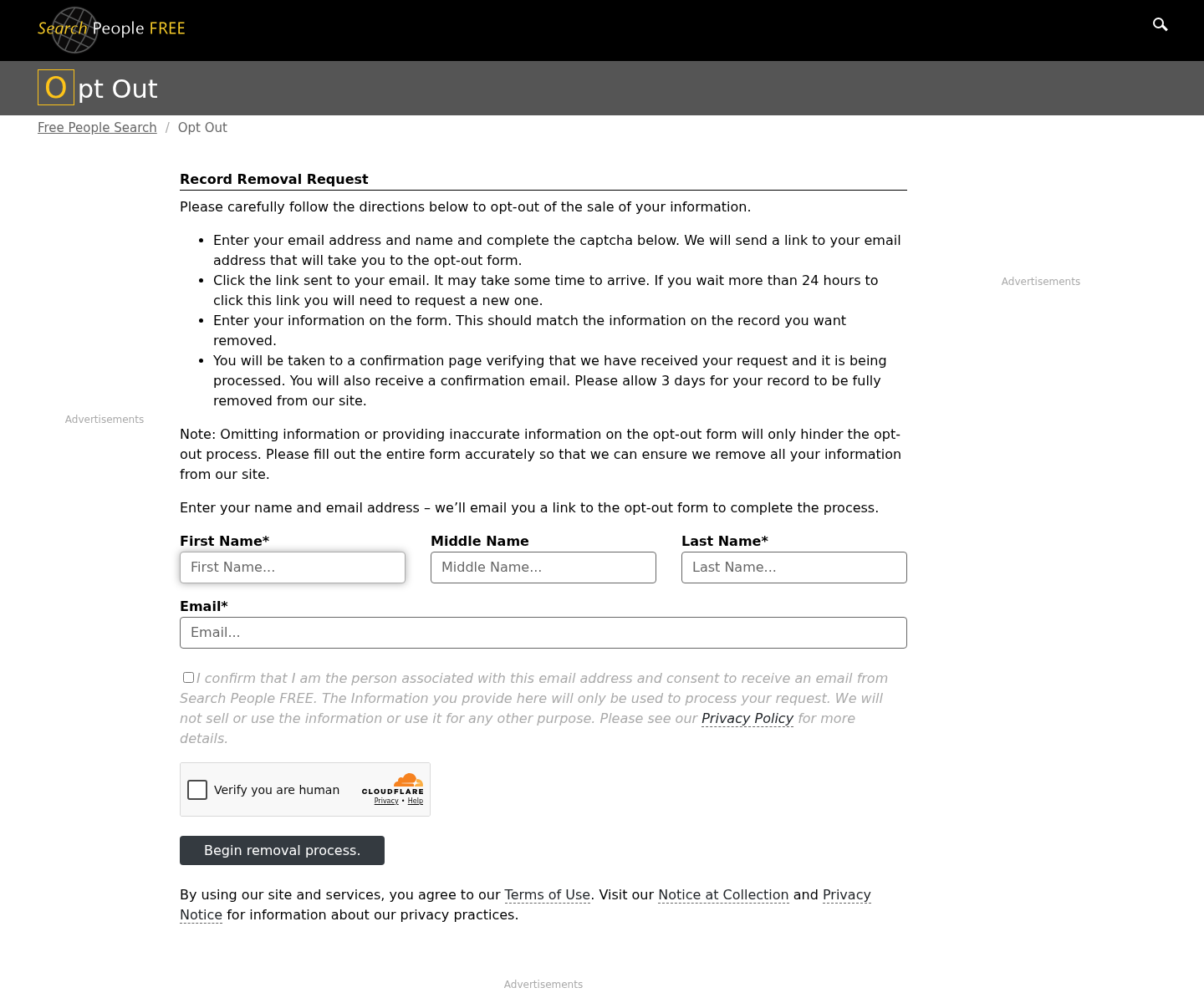
Open the Search People FREE removal form and check that the address ends in searchpeoplefree.com. The visible form is headed Record Removal Request.
Enter your first and last names and a working email address that you control. The middle-name field is not marked required on the first screen.
Read and acknowledge the email consent text, complete the human verification, then select Begin removal process. This starts verification, rather than submitting a complete takedown.
If the verification widget never loads, reload the official page and try a normal compatible browser. Do not use a vendor offering to solve the challenge for you.
Step 2: Open the validation email you just requested
Look for the email in the inbox you entered. Check spam or junk before submitting again, especially if a filtered inbox moves automated mail there.
The site says the link has to be used within 24 hours. If your copy has expired, return to the official page and request a fresh one.
Use a link that matches the request you just initiated. If the destination is unexpected or asks for a payment, close it and go back manually.
Do not forward the validation link to someone helping you. An inbox link is part of your request and does not need to appear in a support screenshot.
Step 3: Match the second form to the exposed profile
Use the second form to enter the identifying details as they appear on the profile you want removed. Compare the values with the page you saved.
When the form asks for location details, distinguish the old address in the listing from where you live now. The site’s instructions ask for the record’s information.
Complete the required confirmations and verification displayed there, then submit. Use the form only to claim a record that actually corresponds to you.
If you cannot confidently identify the listing or the form rejects a required field, verify the original record again. Do not fill a gap with invented personal data.
Step 4: Record the actual submission confirmation
Look for the confirmation page after submission. The site describes it as confirmation that it received the request and started processing, not proof of immediate removal.
Check for the confirmation email too, then record the submission date alongside the listing URL. Avoid saving or sharing the earlier validation link with the log.
Give the site the three days it requests before checking the same profile URL. If you need to follow up, the completion date is your useful reference.
Why the Listing or Search Result May Still Be Visible
Start with the bookmarked profile URL instead of comparing two different search results. What you find there determines which problem still needs attention.
If the profile still shows the same address after the stated wait, check whether you received the final acknowledgement, rather than the initial email inviting you to continue.
If the second form was submitted for a different address or profile variant, use the saved URL to identify the actual record before you start another request.
If you reach an error or a generic search screen, note that outcome. Search the correct domain again to see whether a duplicate listing remains at another URL.
A block on your network is not proof of removal. Retry from your usual browser later, and distinguish a site’s access challenge from a genuine missing profile.
If the source no longer contains the information but Google still shows it, the search result may be out of date. That is when requesting a refresh makes sense.
Refresh a stale Google result without owning the directory
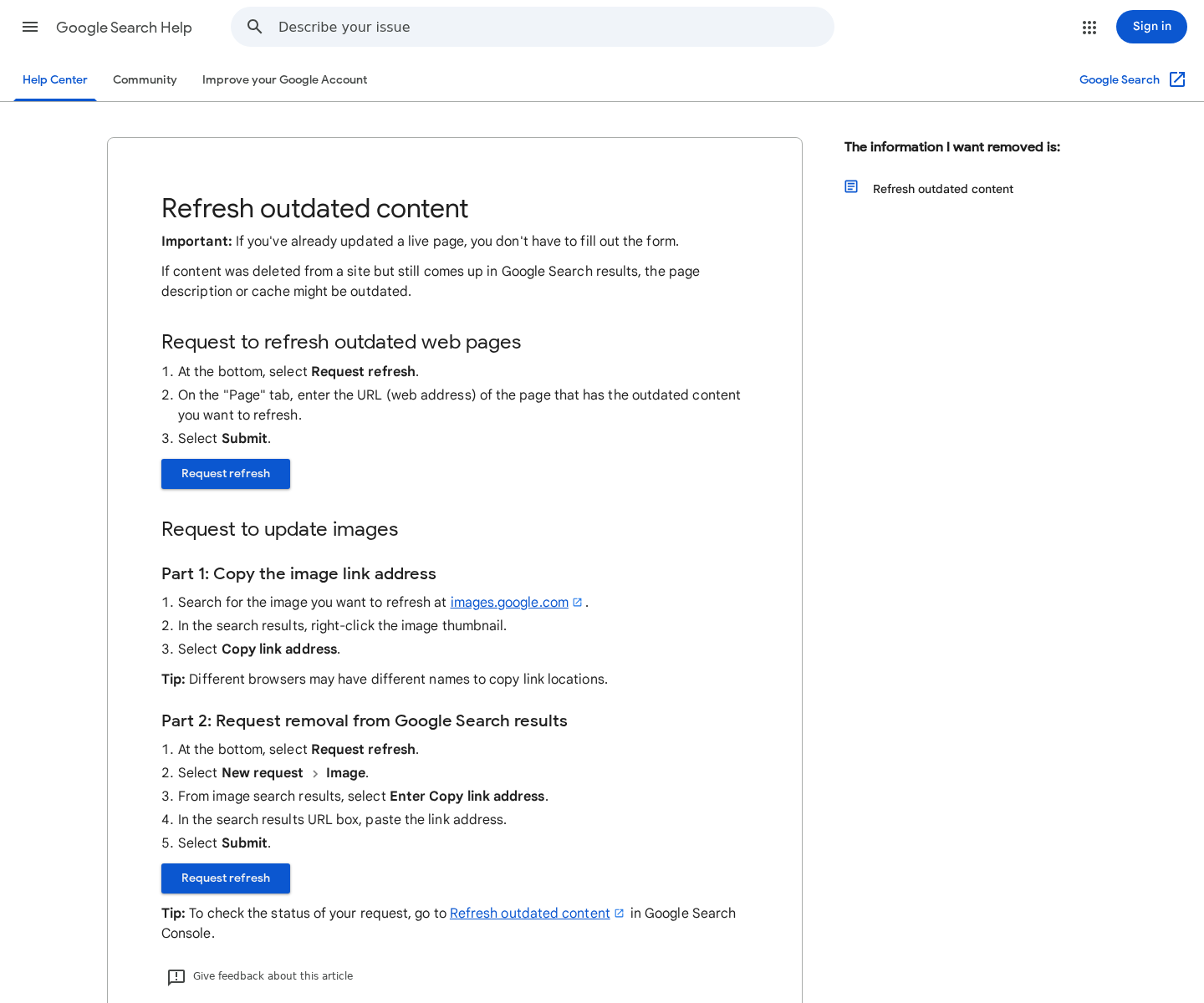
Open Google’s outdated content page, select Request refresh, and sign in if prompted. On the Page tab, paste the exact affected page URL.
Select Submit and check the request status in the tool. If Google asks for text that no longer appears on the page, supply only what it needs.
Use the page address shown in the affected result. If another copy is still available at a different address, one successful request will not cover that copy.
Read the denial reason if the request does not go through. If the details are still live, the refresh tool is not a substitute for removing them.
Where current information qualifies under Google’s personal-content policy, that is a separate path. The private information removal criteria explain what Google considers for removal.
Only Google can change its own search index through that workflow. A result still showing in another search engine does not establish that the broker reinstated it.
What to Do If Your Address Appears on More Than One Page
-
Build a short list of exact URLs with a note for each hostname. Separate different websites even if the names in the browser tabs look nearly identical.
-
Group profiles by the information you actually need removed. Start with exposed addresses that create a practical risk, rather than collecting every loosely related search result.
-
Find each site’s own removal page from its footer or privacy notice. Verify the address before entering details, especially when an ad appears ahead of ordinary results.
-
After submitting, log the date and confirmation for each URL. A confirmation for the first directory does not count as proof that the second directory honored anything.
-
After the site’s processing window, check the original profile and the search result separately. Record one as removed only when your check supports that conclusion.
-
If a listing exposes someone to a credible threat, do not rely on opt-out processing as immediate protection. Seek appropriate safety help while pursuing removal privately.
A simple log can also show whether an old address really came back. The same title in search may be a stale result or a newly indexed copy.
If a fresh copy appears, note its new URL and whether it uses a different name or location. That is more useful than resubmitting last month’s address blindly.
You can ask the operator how it handles returning listings without volunteering more personal data. Use the current contact shown on its own website, not an advertisement.
Some privacy programs offer an additional route to registered brokers, subject to eligibility and scope. The California DROP workflow, for example, has its own eligibility and request process.
A state request is not evidence that a particular visible profile vanished today. Reopen the listing when its current visibility matters, even if you use another privacy tool.
Diagnose a failed request before trying again
If the first email never comes, verify the inbox address you typed. Some addresses accept messages for several aliases, so check the mailbox receiving that particular alias.
If the link opens an expired page, start over at the site’s form. Bookmark the public opt-out page, not the personalized address contained in the older message.
If the site says it cannot locate the record, compare the spelling you entered with the profile. A suffix, former surname or abbreviated middle name may matter.
Do not submit a friend’s address to test whether the tool works. Match your own listing, or use the service’s official representative process where you are authorized.
When sending a support inquiry, start with the page address, your request date and a brief description of the error. Wait for a specific reason before offering documents.
Remove other people’s information from any screenshot you choose to include. A list of associated relatives does not need to be copied into a technical support email.
If an email arriving out of sequence requests identification, payment or a password, return to the site’s public instructions and confirm the request independently before sending anything.
Decide what a useful recheck looks like
Rather than repeatedly searching your full address, use the same bookmark and check the public page while signed out. That gives you a more consistent comparison.
If the address has disappeared but the page continues showing a generic matching name, compare the actual remaining data against the details you wanted removed.
If a different profile still displays the address, treat it as a distinct exposure. The confirmation email cannot tell you whether that second page was covered.
Keep a copy of the confirmation and your URL list privately. You can discard unnecessary screenshots once you no longer need them to document a pending request.
Where no personal details remain in the result or on the underlying site, there is no practical reason to expose your information again in a second request.
Frequently Asked Questions
Do I have to pay to remove my .com listing?
The site’s removal form does not show a fee for submitting this request. A prompt to buy a report is not the removal flow described here.
What if I started but never received the email?
Check the spelling and spam folder, then return to the original .com form if necessary. The request is not finished until the second form is accepted.
Which address belongs on the second form?
Use the information that matches the exposed record when the form asks for it. Do not volunteer a newer home address just to explain why the old one is wrong.
Does the .com opt-out remove my .us listing?
Do not assume one request covers both domains. Check which site hosts each record and use the appropriate privacy process for the actual page.
Why did Google find the page after the site confirmed my request?
Confirmation starts processing, and Google’s listing may later lag behind the changed page. Verify what the direct profile shows before requesting a search refresh.
Will a completed request erase an address from government records?
This guide addresses the directory’s published listing, not government records. Corrections to a public record must be handled by the relevant keeper of that record.
The Bottom Line
Use the free .com removal form for a SearchPeopleFREE listing you have matched to yourself. Finish the emailed second form and keep the resulting acknowledgement.
Check that exact page after the stated waiting period. Fix a stale search result separately, and keep each other domain or profile on its own line.

Join the discussion
0 commentsShare your experience or ask a question about this article.
Discussion
Start the conversation
Have a question or something useful to share? Add the first comment.