Zappathustra
Level 2
No and Yes.
The "No" part:


Open MalwareTips from your Home Screen or desktop. Follow discussions, find answers and pick up where you left off.
If you cannot find an install option, update your browser or use its bookmark option to keep MalwareTips close.
After installation, open the app and sign in. Enable push notifications in Preferences if you want alerts. On iPhone and iPad, push requires a Home Screen web app and iOS or iPadOS 16.4 or later.
Sign in to manage notificationsInstallation is optional. Your notification settings stay under your control.
No and Yes.

It tends to leave behind a installer startup entry which you can delete from the registry located here: Computer\HKEY_LOCAL_MACHINE\SOFTWARE\Microsoft\Windows\CurrentVersion\RunComodo leaves weird parts of it on my system when i uninstalledd. I had to reinstall windows :/

@Deepz you could also try jv16 uninstalr app, it is discussed hereIt tends to leave behind a installer startup entry
It also tends to leave behind the Event Log folder
There is an Uninstaller via Comodo Forums but it doesn't remove the above entries. Official Comodo Uninstaller v3.2.0.82 Released

 malwaretips.com
Before containment, restriction levels were the primary security measure. They now offer optional protection, which limits software or malware running in the containment. I don’t use restriction levels.When apps run contained they can perform read operations from the host (like read access to file system and resources) but they cannot perform permanent write operations to the host as these write operations are isolated from the host.
In other words, contained apps can never make permanent changes on the host and as long as contained apps cannot call home (FW set to block inbound and block outbound connections for all contained apps) than I still don't see the need why using 'Run Restricted' or any other limiting setting.
What am I missing in using these limiting settings?
In @Shadowra's test, Run Virtually successfully contained malware and protected the system.Why would one ever need or have to use 'Run Restricted' for apps running in a Containment???
The apps run in containment what's the point?
Can they escape from Containment somehow when use 'Run Virtually''?
That should be 'optional fake containment protection' then.Before containment, restriction levels were the primary security measure. They now offer optional protection, which limits software or malware running in the containment. I don’t use restriction levels.
Is containment leaking permanent write operations (excluding the allowed write access to the download folder) to the real system when restriction levels are not being used ???
Running a portable or non-portable app in containment doesn't matter both are handled in the same way, they execute in containment meaning they cannot perform permanent write operations to the real system.
 you are not a fan, me neither but now your are saying why use a safety belt when my car has an airbag?
The restriction levels aren't just for containment. You can use a restriction level as primary security without containment.That should be 'optional fake containment protection' then.
Why should one want to set restriction level on a contained app?
Two options, either just let the contained app execute without restriction level or just block it altogether, easy.
That's good. But for containment it has no use.The restriction levels aren't just for containment. You can use a restriction level as primary security without containment.
Run Virtually had some minor problems, such as ransomware leaving a ransom note on the desktop or malware changing the desktop background. This made people question the strength and reliability of the default settings. Personally, I believe that restricting contained apps defeats the purpose of containment. I'm not aware of any legitimate bypass of the default settings with the stable version.That's good. But for containment it has no use.
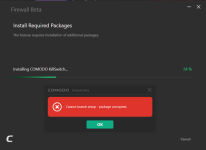
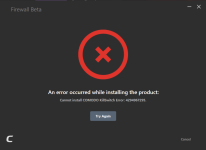
You've just learned a lesson, never rely on third / second party uninstallers. By no means do they know what can be safely deleted from your system and what not. Only an installed app itself knows how to correctly uninstall itself without damaging your system.After I uninstalled Comodo with Uninstalr, I can't seem to get it to install again.
I’m requesting @Shadowra to test Comodo with default restricted, Partially Limited. The setup doesn’t have containment. Comodo will only restrict unrecognized apps on the actual system. I’m also testing usability on my production system with the same setup, and it’s working great.When there was no containment, the default restriction level was Partial Limited. This level provided a good balance between security and usability, making it suitable for real-world scenarios. I am planning to ask @Shadowra to test it out.

 www.comodo.com

Because it's a beta?2024 beta is out and website still says Internet Security 2022
how hard is it to keep their website up to date.
Members who viewed this thread in the last 5 minutes