
I have Eset IS. I just checked Windows firewall and I can see a list created by SysHardener and a list created by H_C.
H_C firewall rules can only be added/deleted via H_C. SysHardener rules can be deleted in independently via WF, IIRC.


Open MalwareTips from your Home Screen or desktop. Follow discussions, find answers and pick up where you left off.
If you cannot find an install option, update your browser or use its bookmark option to keep MalwareTips close.
After installation, open the app and sign in. Enable push notifications in Preferences if you want alerts. On iPhone and iPad, push requires a Home Screen web app and iOS or iPadOS 16.4 or later.
Sign in to manage notificationsInstallation is optional. Your notification settings stay under your control.
 Thread starter
Andy Ful
Thread starter
Andy Ful
I have Eset IS. I just checked Windows firewall and I can see a list created by SysHardener and a list created by H_C.

You can save your settings in the setting profile (<Save Profile> button). If you have many custom whitelisted entries then you can also save them in the whitelist profile (<Save Load> button).If I want to make a backup of all my settings, should I use Save profile or Tools,Manage profiles Backup.

Bug confirmed. The settings are applied correctly to the Windows Registry, but the GUI freezes. After performing log off the account the settings are activated correctly.Bug report, version 5.0.1.1:
I added 3 cmd files by using Whitelist by Hash then after clicking the close button on that window it was not working.
...

Oh, I see. Yes not common so lucky found for me. Btw, is the bug present in 5.0 too or only in the beta?The issue with freezing GUI is somewhat related to displaying the main window when there are some items whitelisted by hash. When the user logs off and then logs on again, it is possible to run the H_C and remove all items whitelisted by hash. After that, everything works well. I am working now on fixing this issue.
Most users cannot probably see this issue, because whitelisting by hash is not common.
In the beta. Thanks for pointing it out.Oh, I see. Yes not common so lucky found for me. Btw, is the bug present in 5.0 too or only in the beta?
What profile do you use?Hello. I have a quick observation. I installed some little desktop jewelry which has completely redone the start menu. Now then, at all times I need the command prompt handy. What I found is if I right-click "cmd" there is the context menu choice "Install by SmartScreen." If I click this, the cmd box opens correctly with C:Windows\system32. You probably already explained this and I missed it.
But it's quite a welcome addition, believe me. I now rely on the Start Menu and taskbar 100% of the time and this is most convenient.
This entry "Install By SmartScreen" was introduced in the beta version as a replacement for "Run As SmartScreen". Could you post here the screenshot of H_C? Depending on the chosen settings, the CMD will be opened with standard rights or with Administrator rights.Well, here is the thing, Andy Ful. There is no profile selected. I just re-loaded the Firewall Hardening rules via the user interface of H_C. Yet this option is now in the context menu. Don't know how it got there but I'm not complaining. Admittedly not familiar with the H_C portion as I've never activated SRP here, just via group policy. The green S, this is via Hard_Configurator, correct?
I fixed the bug. Now I have to recompile H_C and send it to whitelisting by Microsoft, Avast, etc. The corrected beta will be available in a few days.The issue with freezing GUI is somewhat related to displaying the main window when there are some items whitelisted by hash. When the user logs off and then logs on again, it is possible to run the H_C and remove all items whitelisted by hash. After that, everything works well. I am working now on fixing this issue.
Most users cannot probably see this issue, because whitelisting by hash is not common.

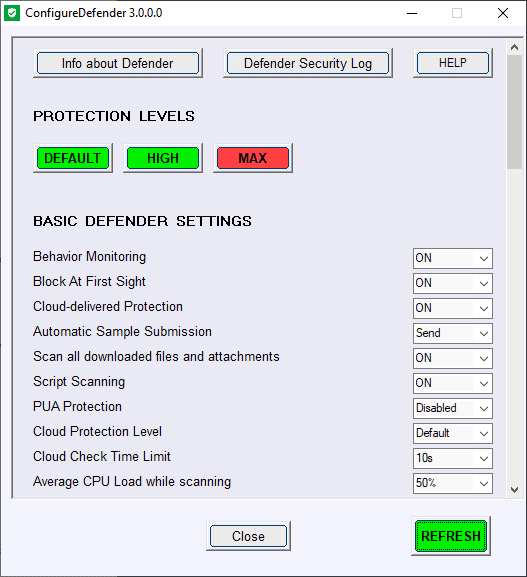
 www.ghacks.net

Way to go @Andy Ful our home town hero!ghacks reviews CD:
Windows Defender configuration tool ConfigureDefender 3.0.0.0 released - gHacks Tech News
The Windows Defender configuration tool ConfigureDefender has been updated to version 3.0.0.0 this week.Â
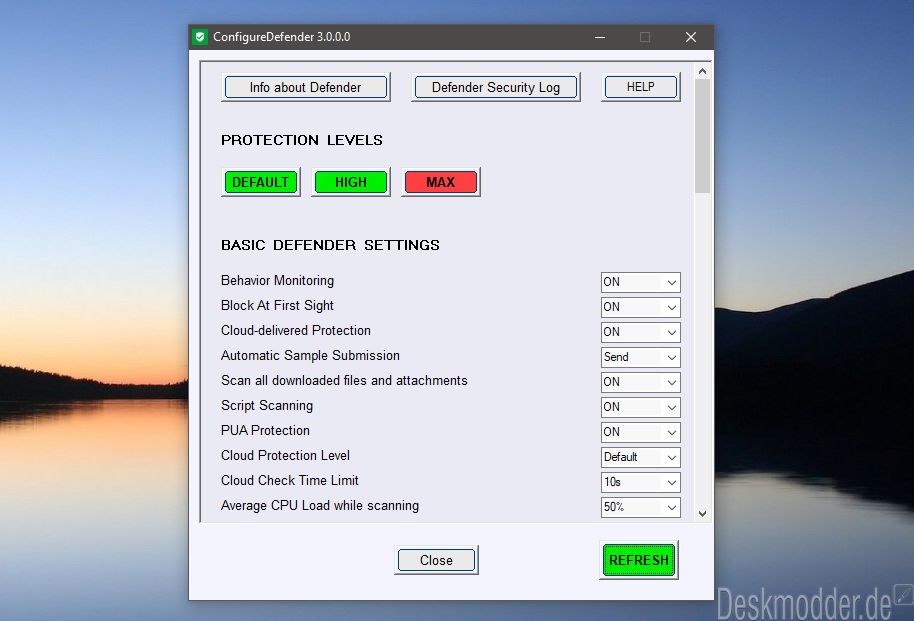

 github.com
Members who viewed this thread in the last 5 minutes


