Serious Discussion Microsoft Edge Stable (Chromium) Now Available for Download

I use Chrome with the Stylish extension and the Lucid style and it's as good or better for me. Lucid comes from Opera.
After seeing your comment, I tried Lucid on Opera last night. It's okay when the slider is set in the middle. Anything above is terrible and adds a lot of noise. But for whatever reason, Opera set it at the highest level by default. Anyway, Edge's Enhance video feature works better IMO as it's sharpening videos without adding any noise that I can notice. It even has more tuning options for high-end GPUs.
 
After seeing your comment, I tried Lucid on Opera last night. It's okay when the slider is set in the middle. Anything above is terrible and adds a lot of noise. But for whatever reason, Opera set it at the highest level by default. Anyway, Edge's Enhance video feature works better IMO as it's sharpening videos without adding any noise that I can notice. It even has more tuning options for high-end GPUs.
Yes. I set it to 1/3 and it's fine
 
Version 124.0.2478.67: April 26, 2024
Fixed various bugs and performance issues.

Stable channel security updates are listed here.

Announcement: Insecure downloads over HTTP

Users that download potentially dangerous content on HTTP sites will receive a UI warning, (for example, "sample.exe can't be downloaded securely"). The user can still choose to proceed by selecting "Keep" on the downloaded item's "..." menu. Admins can also use the InsecureContentAllowedForUrls policy to specify HTTP sites where the warning will be suppressed. The warning's enablement in Edge 124 was accidental. We have reverted the warning in this Stable Release. Admins can use the InsecureDownloadWarnings feature flag to test the impact of this upcoming feature. Note: The warning is planned to be turned on in Microsoft Edge version 127.

Fixes
  • Removes "Microsoft chat provider for Copilot in Windows" from Windows Server devices. The component was incorrectly installed on some devices in a previous Microsoft Edge update.
 
Can anyone share a similar experience❔
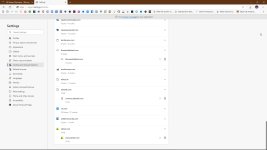
I do not use clear cookies on exit, because Edge does not sync settings, but I block 3rd party cookies and I use CookieAutoDelete, yet it fails to remove all cookies.
I have restarted PC between sessions, used manual cleanup and some cookies are kept, like zdnet, ubisoft or themindofsteel (I do not even know what this is?)
 

Attachments

  • capture_04282024_201728.jpg
    capture_04282024_201728.jpg
    119.6 KB · Views: 176
I block 3rd party cookies and I use CookieAutoDelete, yet it fails to remove all cookies.
I have restarted PC between sessions, used manual cleanup and some cookies are kept, like zdnet, ubisoft or themindofsteel (I do not even know what this is?)
Similar experience here. They have simply ruined this browser. I suppose they figure most users just don't understand all the dirty little tricks they pull and what the effects are.
 
I do not use clear cookies on exit, because Edge does not sync settings, but I block 3rd party cookies and I use CookieAutoDelete, yet it fails to remove all cookies.
I have restarted PC between sessions, used manual cleanup and some cookies are kept, like zdnet, ubisoft or themindofsteel (I do not even know what this is?)
It's one of the reasons I use AG for Windows (desktop). It can control cookies, so you don't depend on the whims of MS.
 
  • Like
Reactions: Nevi and vtqhtr413
You mean even if it's set to - "Clear all when browser quits?"
Similar experience here. They have simply ruined this browser.
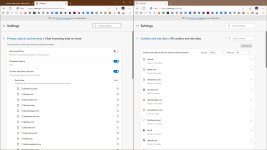
OK, I enabled the cleanup and added exceptions via a policy and it seems to work now. If it was indeed a bug, I still better clean cookies twice or thrice, just to be sure. :sneaky:
 

Attachments

  • capture_05042024_101653.jpg
    capture_05042024_101653.jpg
    174 KB · Views: 158