VoodooShield discussion

Status
Not open for further replies.
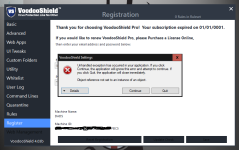
installed 4.03 beta from scratch (other versions had been removed), accepted license aok, started on reboot this time aok. so looking good... UNTIL, connected to my vpn to come over here, and VS crashed with a popup from MS (win7_64) do I want to send them details, no not really. running SUA, with EAM and cf10@cs, had run 3.59 with this security software aok. so not sure what caused crashed. Looking into it later, have to step out for a few minutes... :oops:
Interesting... thank you for letting me know! Please let me know what VPN you use and I will debug it... it will be a super easy fix.
 
I prefer voodoo Ai to VT.
This issue exists since I meet vs but was not important for me because I don't need VT at all and I like the always-on mode.
Very cool, thank you... if I need to adjust VS in anyway, or if you see any small oddities with the blacklist scan disabled, please let me know!
 
Thank you guys for letting me know... so far so good!!!

BTW, people are asking why VS uses port 1433. All of our data is stored on an SQL server... like the user accounts (which is the norm), all of the VoodooAi cloud data, training data sets, you name it, it is stored on our SQL server.
 
YW,
the black list is not working now but You can't fix it because this is about vt but as I said with VPN it's okay :)
 
  • Like
Reactions: Gandalf_The_Grey
Autostart issue persisting, this time VS service does autostart but not the App.
It does not only happen after the computer is off for a while, but also randomly at reboot.
Thank you, I forgot to mention... I changed the service (for now) so it will not automatically start VS when the service starts. I am not sure if it will ultimately or not, we will just have to see what works the best.

Can you please email me your DeverloperServiceLog.log from the C:\ProgramData\VoodooShield directory? It should have logging that tells us why the VS gui is not starting for you. Thanks again!
 
There were a lot of other bug fixes and changes in this version… I think we are getting close.
Take your time, the more we iron out now the better it will be at release of the stable version.
Thanks Mr. B for the hard work you do to keep us safe ! PeAcE
EDIT: for those with startup issues in services put VS into "Auto Delayed Start"
this made mine start smoothly and without issue.
 
Thank you, I forgot to mention... I changed the service (for now) so it will not automatically start VS when the service starts. I am not sure if it will ultimately or not, we will just have to see what works the best.

Can you please email me your DeverloperServiceLog.log from the C:\ProgramData\VoodooShield directory? It should have logging that tells us why the VS gui is not starting for you. Thanks again!

Done(y)
 
Take your time, the more we iron out now the better it will be at release of the stable version.
Thanks Mr. B for the hard work you do to keep us safe ! PeAcE
EDIT: for those with startup issues in services put VS into "Auto Delayed Start"
this made mine start smoothly and without issue.
Appreciate your suggestion, unfortunately it took almost two minutes for the service to start with Auto Delayed Start. Two minutes too long for my liking.
But that was before VS 403.
I'll give it a try, just for the fun of it;)
 
I still purged VS from my registry (took 30min) and dug all remnants out of the OS,
403 will be a spick & span install. I will report any issues later.
EDIT: when purging VS from the registry don't just search for "VoodooShield" also search for
"VoodooSoft" as well.
I'll do that.
VS service still take at least two minutes on Auto Delayed to kick in.
As far as VS App autostart Dan say that it is disabled for the time being, if I got this right:unsure:
 
  • Like
Reactions: Gandalf_The_Grey
Can you let us maximize the vs GUI?
I mean let ppl to run vs in full-screen, sorry for my bad English lol.
When you check smth like whitelist editor windows its pain if you want to see other factors like hash, user, or....you have to move the handler but what if you design vs to run in full screen? :)
 
sent PM with vpn info and 2 log files in a 7z.
Cool, thank you, I will check it out!

Ok, I think I know what is up with VS not starting on startup.

The people who enter a password to log into their computer (when they start the computer), do not have this issue with VS 4.03b, right?

The people who do not enter a password to log into their computer (the computer just automatically comes up to the desktop), DO have this startup issue, right?

BTW, the people who do not enter a password... if you log out and log back in, I bet VS starts ;).

I am 99% sure that is what the problem is, and it should be pretty easy to correct.
 
Cool, thank you, I will check it out!

Ok, I think I know what is up with VS not starting on startup.

The people who enter a password to log into their computer (when they start the computer), do not have this issue with VS 4.03b, right?

The people who do not enter a password to log into their computer (the computer just automatically comes up to the desktop), DO have this startup issue, right?

BTW, the people who do not enter a password... if you log out and log back in, I bet VS starts ;).

I am 99% sure that is what the problem is, and it should be pretty easy to correct.

I had this at reboot of a virgin install of VS 4.03b:
VS_Error_1.png
After that I removed VS again, (from files, registry ect.)
I reinstalled and all is cool now, if this happens again I will Email you the logs. PeAcE Mr.B :P
 
Status
Not open for further replies.