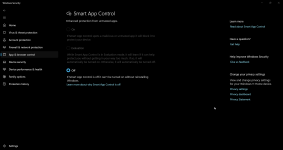
Smart App Control is OFF.
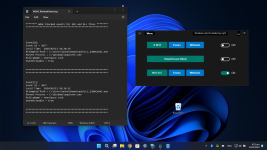
When I click the copy a UAC popup appears.
There are no alerts.
I am using the latest Windows 11 version.
Does it mean that when you run the original (not copied) WHHLight there is no UAC prompt?
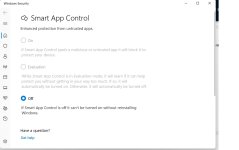
Smart App Control is OFF.
When I click the copy a UAC popup appears.
There are no alerts.
I am using the latest Windows 11 version.
yesSince all the MS "Smart" stuff sounds familiar (at least in some way for me) it looks like this for you?
View attachment 281507
I can see three possibilities:When I run the original there is a UAC prompt. Wherever the executable is.
That is OK.It was blocked by WDAC.
Yes.So it's working properly?
malwaretips.com
Where is the issue? This is a default Windows setting, but applied as a system-wide Administrator policy. You can also choose the SmartScreen Block setting in WHHLight.Whhlight seems to set Smartscreen to Warn. Any possible fixes for this issue?
So do not change the "Warn" setting and everything will be OK.In DefenderUI I set Smartscreen to user and reverts to warn.
Such a possibility is disabled intentionally in WHHLight. The 'User' setting means that the application accepts the settings applied via Windows Security Center. So, it will also accept the OFF setting applied via Security Center. The OFF setting complicates the behavior of the WHHLight protection.Is it possible to allow "user" and not change it.
The problem is that "warn" differs from "user" that was set by the high settings of ConfigureDefender, that causes some confusion.Such a possibility is disabled intentionally in WHHLight. The 'User' setting means that the application accepts the settings applied via Windows Security Center. So, it will also accept the OFF setting applied via Security Center. The OFF setting complicates the behavior of the WHHLight protection.
Why do you prefer the 'User' setting? Do you disable SmartScreen when using the computer?