


The subject sounds like something from an internal help desk. There is no overdue bill, dramatic warning, or flashy logo, just a document that supposedly needs your attention.
It would be an easy message to clear between meetings. Before you open it, ask yourself whether you were expecting anyone to send that document.
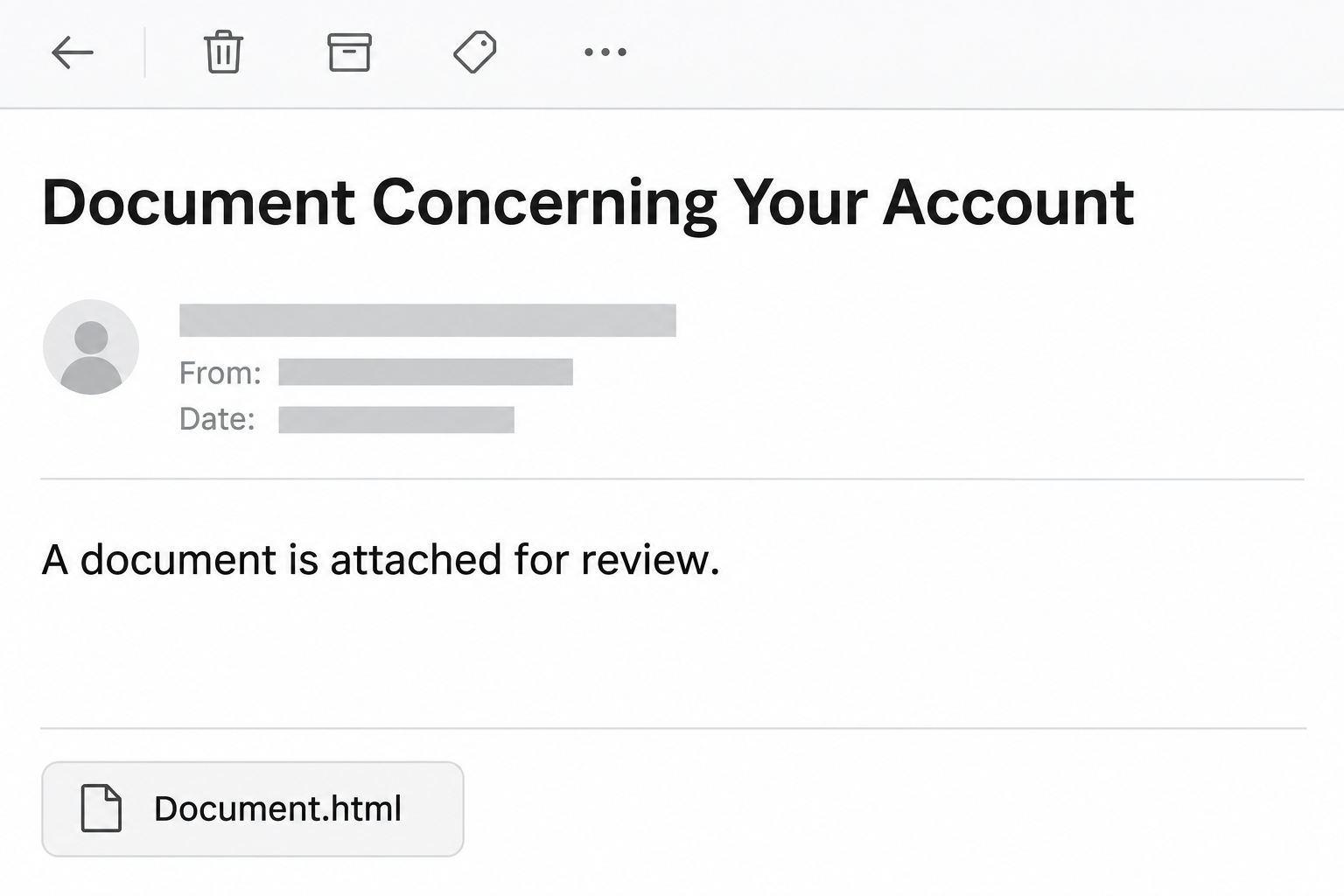
Overview
What the “Document Concerning Your Account” email actually contains
The reported message claims an organization attached a document concerning your account. It doesn’t identify a specific organization, which lets you supply the missing context yourself.
The attachment in this case is an HTML file, not the document it promises. Opened in a browser, it presents an email sign-in form instead of showing account records.
Your email address may already be visible in the form. That can feel like proof you’re in familiar territory, but the sender already had your address when the email arrived.
The documented purpose is to capture email credentials. That is a different risk from a malicious executable, and you should respond according to what you actually opened, typed, or approved.
Why a page on your computer can still be deceptive
People often check an address bar for a strange domain. This lure can render the sign-in page from the saved attachment, so there may be no website address to compare.
A page can look polished and still have no relationship to your employer or mail provider. Where the browser opened the page and who controls the form are separate questions.
Consider how you reach the real place when nothing is wrong. If you usually open a company portal or choose a saved mailbox bookmark, use that route to check independently.
For work mail, a login screen started from an attachment is worth reporting even when it contains no obvious spelling errors. A colleague may have received a convincing copy, too.
The clues that matter more than the logo
- The message refers to a document but doesn’t name a project, request, case, or event that you recognize.
- Its attachment ends in .html or .htm rather than being a Word document, PDF, or shortcut delivered through an expected service.
- Opening the attachment produces a sign-in prompt before you’ve reached a known portal.
- It asks for an email password that is unrelated to the supposed document itself.
You can check the attachment name without opening it. Verify the request with the supposed sender through an existing conversation or a known phone number.
If the company recognizes the message, ask where to find the original document in the approved system. You shouldn’t have to use the questionable attachment to prove it exists.
How the Document Concerning Your Account Scam Works
Step 1: A vague message makes the task feel routine
A legitimate internal notice might be brief, especially when it comes from an automated system. The scam borrows that style without giving you much information to verify.
Think about how the message fits your day. If you’re starting a new job or updating benefits, the word “account” can make an unrelated email seem timely.
A real person can usually explain which account and which document they mean. Verify through a channel you already have, not through a reply to whatever arrived.
A familiar display name isn’t enough. Display names are easy to imitate, and a real mailbox can also be abused. The strongest check is independent confirmation of the request.
Step 2: The attachment changes the meaning of “review”
The message directs your attention toward opening what sounds like an ordinary file. HTML is a webpage format. It can display a form rather than the promised document.
The reported example opened locally and showed a prompt to sign in. That detail is why a review based solely on a strange website address could miss this case.
Don’t test it by downloading a second copy to your phone. That gives you a different browser, not better evidence that the file came from an authorized sender.
Use the attachment type as a decision point. If a file unexpectedly launches a page asking for a password, close it and use the real account service instead.
Step 3: A familiar email address lends credibility to a fake form
A prefilled address makes the page seem personalized. It may even match your current work mailbox, as opposed to an old address you rarely use.
None of that tells you the page is managed by your provider. The person who sent the message already knew the address and didn’t need your permission to display it.
Password managers can provide another clue if they refuse to fill a site, but their behavior isn’t a final test. Don’t enter the password manually to see what happens.
In a household, compare the process with the one you normally follow. On a work device, ask whether the company actually allows signing in through downloaded webpages.
Step 4: The email password becomes the thing of value
The reviewed form is designed to transmit credentials submitted to it. Once the information has been sent, closing the browser doesn’t take it back.
Access to an inbox can reveal old invoices, password reset emails, contact lists, and attachments. That’s why a quiet mailbox isn’t proof that the phishing attempt failed.
An intruder might try to send messages in your name or add a forwarding rule. These are risks to check for, not outcomes every recipient experiences.
An email provider may challenge a new sign-in after a password is stolen. Don’t count on that challenge while the attacker still has the password.
Step 5: Mailbox access can outlast a simple password reset
A stolen password is one problem. A session that stays active, an unfamiliar forwarding rule, or a newly added recovery address is another.
When you reset a password, review what else changed. An old forwarding rule can continue sending copies of new emails even after you’ve stopped someone from signing in.
Business inboxes deserve special attention if they handle invoices or purchasing. A later message in a genuine conversation can redirect a payment without seeming related to the original attachment.
If you saw an unexpected authentication prompt, tell your provider whether you approved it. That distinction helps an administrator decide how urgently to revoke sessions and check recent changes.
What to Do If You Received or Opened the Attachment
-
Report it as phishing if you only received the email.
Use your mail application’s reporting control or your employer’s security channel. The FTC’s phishing guide recommends contacting companies through details you already trust.
-
If you opened the HTML but didn’t enter anything, close the page.
Preserve the email for your reporting process but don’t reopen the attachment. A displayed form isn’t, by itself, proof of password theft or a malware infection.
Check whether anything else downloaded or ran. If you saw a new download or approved installation, report that too; it changes the kind of device check you may need.
-
If you typed or submitted your password, change it from trusted equipment.
Open the official account service yourself and create a unique password. If you used the old password elsewhere, change those accounts too, starting with finance and primary email.
Tell a work help desk if this was an organization account. A personal password reset won’t necessarily revoke every work session or give you access to the relevant logs.
-
Revoke sessions and review recovery options.
Use the account security page to sign out sessions you don’t recognize. Remove unexpected phones, backup email addresses, and devices, and turn on multifactor authentication where possible.
For a Google account, use Google’s compromised-account instructions to review security events and devices. Don’t follow an account-recovery link included in the suspicious email.
-
Check inbox rules, forwarding, and sent messages.
Look for messages you didn’t send and changes you didn’t make. Check both automatic forwarding settings and rules that move, delete, or hide new mail.
Tell contacts through a separate, trusted channel if your account sent messages in your name. If anyone acted on a payment instruction, ask them to contact their bank immediately.
-
Escalate suspicious app permissions or a second download separately.
If you accepted a consent screen, installed software, or ran another file, don’t assume the mailbox password problem is the whole incident. Ask your provider or IT team for guidance.
For a work device, record the time and steps you took before removing evidence. For personal equipment, use your existing security software if you suspect unapproved software actually ran.
What to tell an IT team when you report it
Give them the subject, the address that received it, and the time it arrived. Use the reporting workflow they request rather than forwarding the attachment to coworkers.
Be specific about what you did. “I saw a page with my email prefilled” means something different from “I entered my password and approved a sign-in.”
If you no longer have access, say so immediately. The help desk can handle recovery and containment while you avoid sharing one-time codes with anyone who contacts you unexpectedly.
Alert the people who can stop unusual payments. Use established callbacks for any bank-detail change, even when the request comes through a familiar message thread.
If the message came to a family or shared mailbox
Tell the other people who use the account before anyone responds. It is easy for one person to dismiss a warning while another tries to be helpful by signing in.
Agree on the last time someone used the account normally. Comparing genuine activity against that timeline can make an unfamiliar session or forwarding rule stand out.
Separate accounts help if your provider supports them. It’s easier to maintain recovery options when one person owns each account and everyone knows whom to contact.
Check what the exposed mailbox was used for
For a personal account, look at which services send it password resets. An old inbox can remain the recovery address for an account you haven’t thought about in years.
Start with services that store money, tax records, identity documents, or payment methods. Check inside those accounts rather than searching only for warning emails that an intruder could hide.
Note whether the address in the attachment was an alias or the address you normally use to sign in. An alias can point to the same underlying mailbox.
If an alias and a separate account receive similar messages, don’t assume they are interchangeable. Record the address you used and whether you reused its password.
Some organizations let a single work sign-in open both mail and cloud files. If yours does, tell your administrator which shared resources you can normally access on that account.
A shared inbox can also have delegated access. Ask the owner to check whether individual accounts or permissions were changed, rather than changing a password that isn’t actually used.
If you notice unfamiliar messages in a project thread, keep the relevant details before moving them. Record who received them and whether they contain payment or file-sharing instructions.
One of your contacts might receive a message before you see it in your sent mail. Ask them for the subject and time, not to reopen the attachment.
Distinguish security messages that arrive during your recovery from unexpected messages sent earlier. The timing helps, but verify each alert inside the actual service before acting.
Keep a record of which accounts you secured. That makes it easier to spot a repeat problem or tell your provider when an unfamiliar change happened.
Frequently Asked Questions
Is “Document Concerning Your Account” a legitimate notification?
The reported version is a credential phishing email. The subject alone doesn’t authenticate every message with similar wording. Confirm the request within an account or service you already know.
Does seeing my correct address mean the page is safe?
The address was already available to the sender. Its appearance on the page doesn’t establish that your mail provider loaded it or that your employer requested your password.
Can a locally opened HTML file steal a password?
A locally displayed page can still contain an unsafe form. In this case, the reported form captures submitted credentials. A local-looking address isn’t a reason to enter a password.
Is opening the attachment the same as giving away my password?
What you typed, submitted, or approved is important. Seeing the form and promptly closing it isn’t, by itself, evidence that anyone received your password.
What if the sender looks like a coworker I recognize?
Contact that person through an existing conversation or independently known number. If their mailbox was abused, replying to the suspicious message might reach the person behind it.
Can I ignore this if my account uses multifactor authentication?
Multifactor authentication adds protection but doesn’t make the password disclosure harmless. If you submitted it or approved an unfamiliar request, reset the password and report exactly what happened.
The Bottom Line
If an unexpected attachment asks you to log in before showing a document, stop there. Open the portal you already use and confirm the request through a known contact.
If you entered a password, change it on a trusted device and review sessions, recovery options, and mail rules. Report the attachment so others know what to avoid.

Join the discussion
0 commentsShare your experience or ask a question about this article.
Community experiences
Did this happen to you?
Your experience could help someone recognize the same scam. Submit a private report for our team to review.
I experienced this tooReports are reviewed before publication. Sharing publicly is always your choice.
Discussion
Start the conversation
Have a question or something useful to share? Add the first comment.