


An Android download page can show Rockstar art, a beta version number, and a file size that makes the offer look specific.
The important question is what Android actually puts on your phone, not what the website says will open after installation.
Overview
The Page Advertises a Beta Rockstar Does Not List
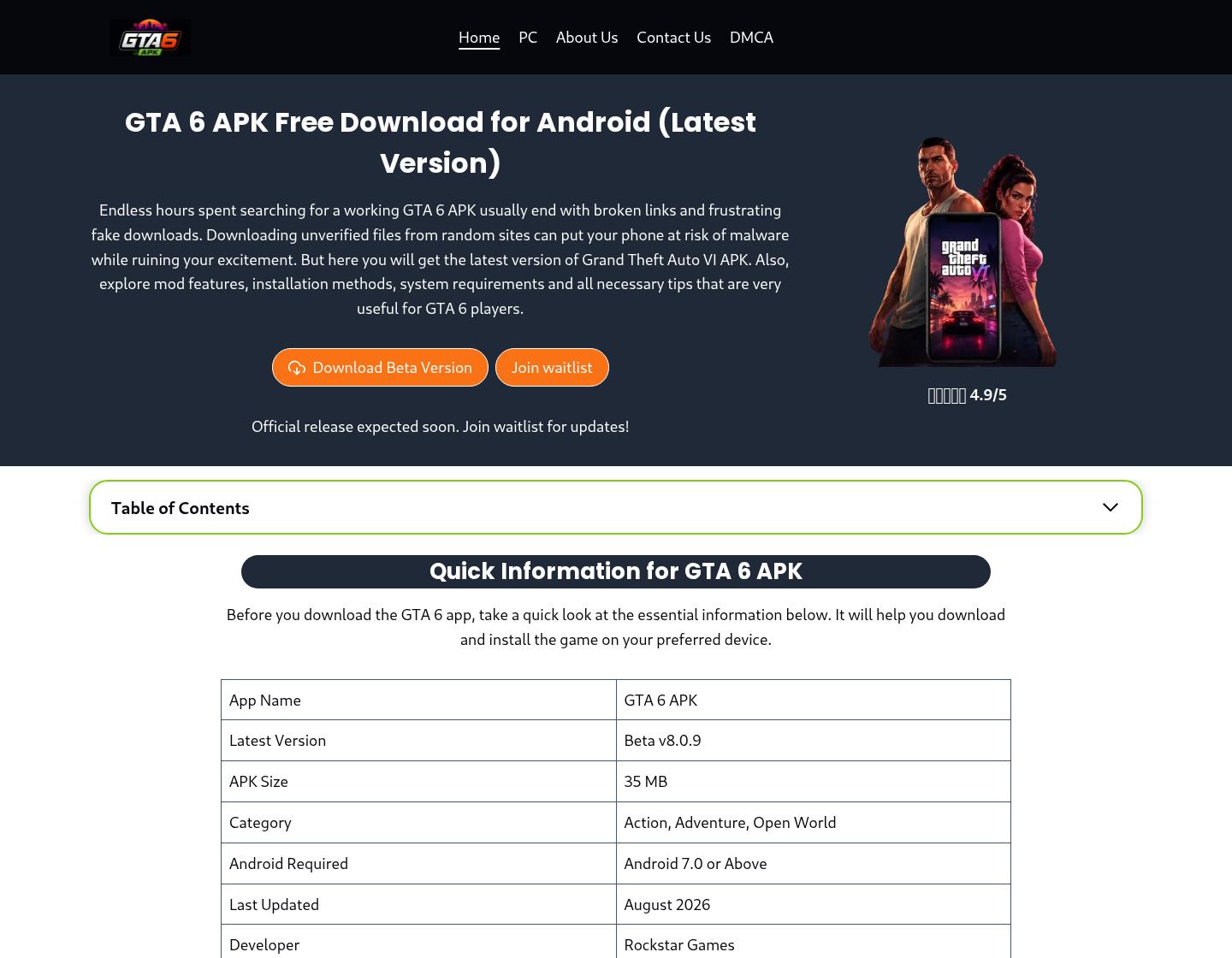
The site at gta6thapk[.]com advertised a free Android beta, listed Rockstar Games as the developer, and displayed a separate waitlist for the full release.
The same page showed Beta v8.0.9 and a claimed file size of 35 MB, details that make the download look like a specific release.
Rockstar’s GTA VI page lists PlayStation 5 and Xbox Series X|S, not a native Android or iPhone edition you install from an outside file.
The label on the website is not the name of a verified publisher in an official game listing, even when the two names match.
One Analyzed APK Was Built Around Advertising
An APK is a package Android can use to install an app, so its file extension tells you nothing about the publisher.
Malwarebytes examined one 36.8 MB sample from the broader GTA 6 mobile-download campaign and found a Unity app built around advertising components.
The sample used an individual developer’s signing certificate rather than Rockstar’s, and the researchers said its main purpose appeared to be showing ads.
Netcraft separately examined a file offered as a beta by gta6thapk[.]com, and its initial scan did not identify a threat in that particular file.
The reports describe separately examined files, without establishing a match between them or making an unofficial Android download part of Rockstar’s release.
Your First Step Depends on What You Actually Did
A page visit, a saved APK, and an installed app are different events, so start by working out which one happened on your phone.
- If you only opened the page, close it without tapping the download or waitlist links, and do not assume a scan is necessary.
- If you downloaded the file but never installed it, remove the saved APK without opening it and check whether the installer was completed.
- If you installed it, remove the specific app you can tie to that download, turn off any permission you granted to install it, and rescan.
- If you gave a password to a different site during the process, protect that account separately rather than expecting an Android scan to fix it.
How the Fake GTA 6 APK Offer Works
Step 1: A Mobile Download Page Copies the Game’s Name
One page positions its APK as the answer to broken downloads elsewhere, warning about unverified files while inviting readers to download its own beta.
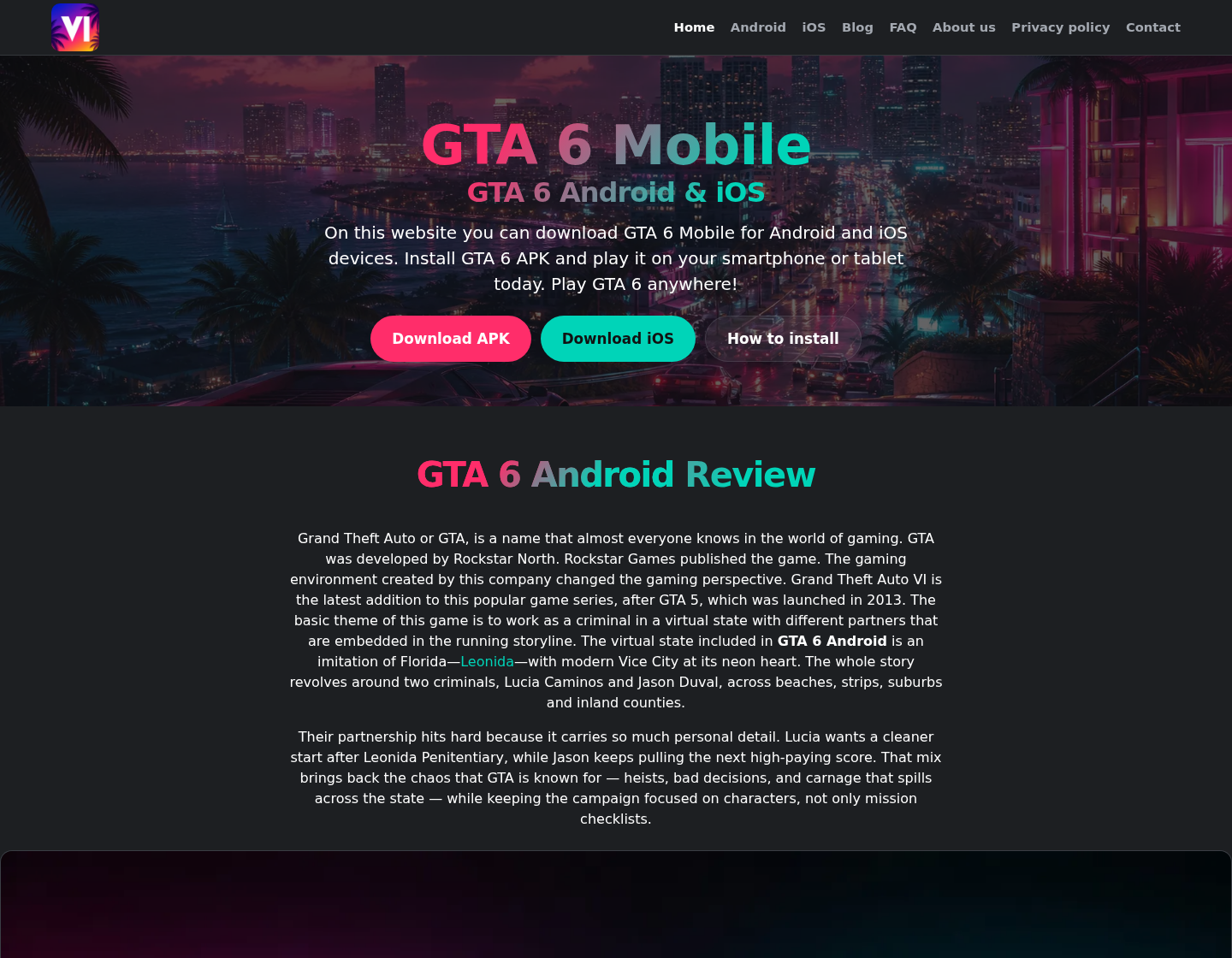
Another site, gta6mobile[.]app, has separate entries promising Android and iOS downloads, making an unsupported mobile launch look like a choice between platforms.
Its page describes the game’s setting and characters, but a description of Vice City does not establish who wrote or published the app.
A screenshot of someone playing on a phone would not settle the issue either, because streaming a console game differs from installing an Android edition.
An Android package cannot install an iPhone app, and two buttons on one website are not evidence that either edition exists.
Step 2: A Version Number and Waitlist Make the Offer Look Normal
The beta number is useful sales copy because it makes a small unfamiliar file look like a specific build instead of an unexplained download.
A waitlist can make the fake release feel plausible by giving the page a reason to describe the full game as coming later.
An official publisher can use a waitlist too, but a verified invitation starts with a channel the publisher controls rather than a claim on the download page.
The page’s displayed rating does not resolve that question, since the rating appears on the same site asking you to take the file.
Checking that source is more useful than comparing file sizes, because small installers and large installers can both be described inaccurately.
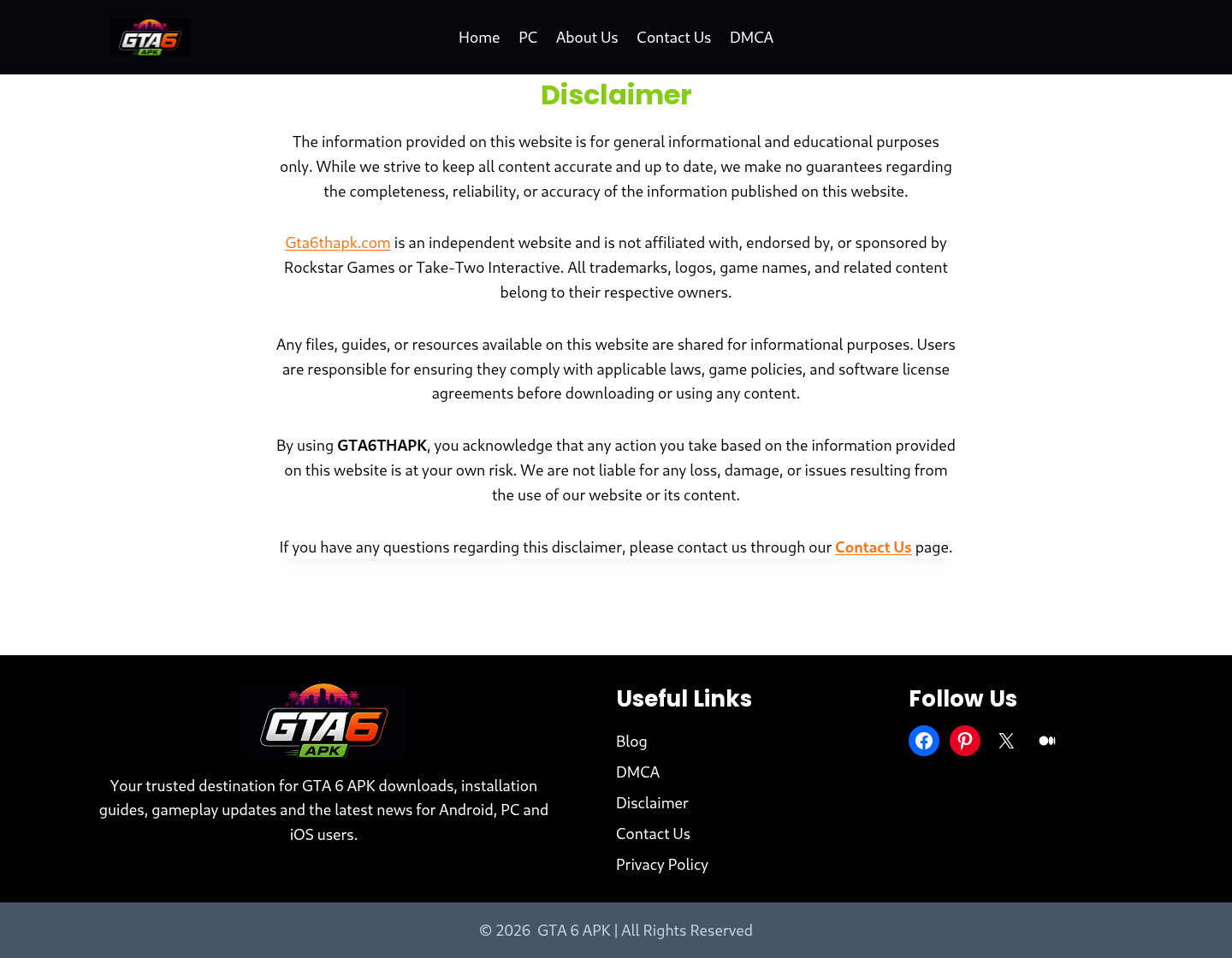
The same site’s disclaimer says it operates independently and has no affiliation with Rockstar Games or Take-Two, despite the developer name on its homepage.
Taken together, those two pages give you a reason to stop before downloading, even without knowing what the site would send today.
Step 3: The Download Moves Installation Outside the Store
Netcraft documented a beta download for the first site and found that the site’s instructions urged users to permit installations from an outside source.
That request matters because the website is now asking you to change what your browser or file manager can install on the phone.
If Android displays a warning or stops the install, cancel it instead of using the site’s instructions to get around the warning.
Having permission to install an app does not make the publisher trustworthy, and switching off the permission later does not remove anything already installed.
Step 4: The Installed App May Have Little to Do With GTA 6
The sample examined by Malwarebytes used components meant to serve ads, and its reported file history predates the launch by more than two years.
Researchers also observed it querying device information, including what network the phone used, without establishing that it stole a particular visitor’s account or payment data.
The app may look convincing before installation because you are seeing the download’s name and cover picture rather than a working version of the game.
If the phone starts behaving differently, use the installed app record and permissions to identify the problem instead of launching the supposed game again.
An ad appearing only in a single browser tab could be a site behavior, while ads outside the browser warrant checking recently added apps.
What to Do If You Downloaded a Fake GTA 6 APK
- If the page is still open, leave without touching any new download, update, or installation prompt, and note the page name for your records.
- If you saved a file, open Downloads through the browser or file manager and delete that one APK without tapping its name to open it.
- If you installed the app, go to Settings and remove it using the cleanup steps below, rather than opening the app to see what happens.
- If you turned on permission to install unknown apps for your browser or file manager, switch it off even if Android blocked the installation.
- If you entered financial information, contacted someone who claimed to be support, or shared a password, handle that exposure separately with the real service.
If the phone belongs to work or school, contact its administrator before you remove apps, change managed settings, or try recovery steps on your own.
On a personal phone, note the app name, when it appeared, and any alerts before you start, but do not save or share the installer.
Deleting the APK only removes the downloaded file, so open Android’s Apps list as a separate check if you remember approving an installation.
If Android rejected the package before it installed, checking the Apps list and removing the file is more useful than trying a different copy.
How to Remove the Fake GTA 6 App From Android
Step 1: Find the Installed App Without Opening It
Open Settings, tap Apps, and choose See all apps if your phone first shows only the apps you have used most recently.
On a Galaxy phone, Samsung’s removal instructions use Settings and Apps to reach the App info screen, where you can uninstall the selected app.
Select the app you believe came from the download, then check its name, icon, and other app details against what you remember installing.
Do not remove an app just because it has a generic name, and do not confuse a legitimate Rockstar title with the file you downloaded.
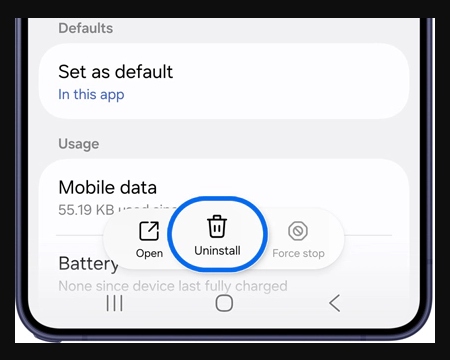
Once you identify the unwanted app, tap Uninstall and confirm Android’s prompt, understanding that its local app data will also be removed.
Return to the Apps list and confirm that the app no longer appears, then remove the remaining downloaded APK if you still have it.
Step 2: Check Why Android Will Not Remove It
If the app is missing from your list or Uninstall is unavailable, use Settings search for Device admin apps and review the entries without changing them indiscriminately.
Remove administrative access only for the unwanted app you identified, then return to its App info screen and try Uninstall again.
If a personal app keeps opening over Settings, use your phone maker’s Safe Mode instructions to temporarily stop downloaded apps from running.
On Pixel, Safe Mode can remove some home screen widgets, so take a screenshot of your layout beforehand if you need to recreate it.
On a Pixel 6 or newer, open the power menu with Power and Volume Up, then hold Power off and accept the Safe Mode prompt.
Check for Safe mode at the bottom of the screen, remove the identified app from Settings, then restart normally to leave Safe Mode.
If it still cannot be removed or you see an unfamiliar management message, stop changing settings and contact the manufacturer or your device administrator.
Step 3: Turn Off Installation Access and Check Other Permissions
In Settings, open Apps, look under Special app access for Install unknown apps, and select the browser or file manager used for the download.
If Allow from this source is on because of this incident, switch it off and confirm that the selected app no longer has permission.
If you have not removed the app yet, open Permissions from its App info screen to see which types of access you granted.
If you only granted browser notifications, open Chrome’s Settings, go to Site settings and Notifications, then remove or block the unwanted site’s permission.
Browser alerts and installed Android apps are separate, so handle both if you approved both instead of treating every pop-up as an app infection.
Step 4: Run Google Play Protect and Read Its Result
Open Google Play Store, tap your profile picture, and choose Play Protect to open the security screen for the apps installed on your device.
Under its settings, make sure Scan apps with Play Protect is enabled, then return to the main Play Protect screen and run a scan.
If it identifies an unwanted app, check the name and follow Android’s removal prompt, then return to the app list to confirm what changed.
A result with no detections does not turn the APK into a legitimate game, and it is not a promise that every risk is gone.
Step 5: Use Malwarebytes for Android if You Need Another Check
Use the Google Play listing, tap Install and then Open, and skip any pop-up scanner offered by the site that advertised the game.
Get Malwarebytes for Android on Google PlayOptional Malwarebytes Premium for Android
The manual scan does not require a purchase, and MalwareTips may earn a commission if you choose to use the optional paid link.
Open the installed app and finish setup to reach its Dashboard, without agreeing to a trial or payment just to investigate this download.
Malwarebytes lists its on-demand Android malware scanner as free, while scheduled scans and continuous protection are separate features you do not need here.
In the Device section, tap Scan now and grant file access if you want the tool to check saved files alongside installed apps.
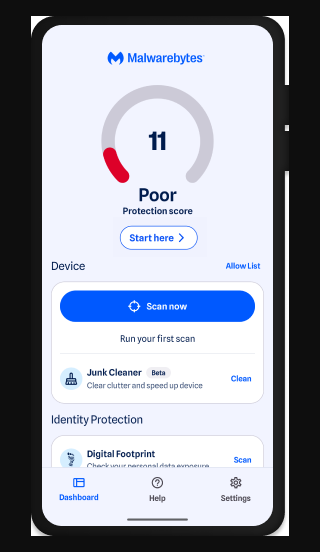
Wait for the scan to finish, then open its results and use App info if you need to confirm which app a detection refers to.
If the detected app matches the unwanted download, open the menu beside it, choose Uninstall app, and confirm the prompt from Android.
If the scan flags only the saved APK and the app is not installed, remove that file rather than trying to uninstall another app.
Restart if requested, and run another scan if the app remains on the phone or the same notice appears after the first cleanup.
If the app will not offer a manual scan without enrolling, skip the purchase and use Play Protect or get help with the unresolved finding.
Step 6: Check Whether the Problem Has Stopped
Restart normally, verify the app is still gone, and look for the same unwanted ads or app alerts before reinstalling anything from your backups.
Check Settings for an available Android security update, and install updates from the phone maker or Google rather than from a pop-up or downloaded file.
If the app returns or the phone keeps opening ads outside the browser, note the symptoms and seek mobile removal help before resetting the device.
Write down any scanner detection and your Android version, but keep passwords, personal notifications, and full account screenshots out of any public help request.
Use a trusted device to protect any account whose password you shared or whose activity you cannot explain, and contact your bank about unfamiliar charges.
A factory reset can erase files and settings, so ask the manufacturer about a safe backup and recovery plan if ordinary removal does not work.
Frequently Asked Questions
Is There an Official GTA 6 APK for Android?
Rockstar’s current GTA VI page lists its console releases, and a third-party page advertising an Android beta is not an official Android release.
Check the publisher’s own game page rather than an APK mirror if you want to know whether that list ever changes.
Why Does the APK Page Show Rockstar as the Developer?
The developer label is text on the download page, and the site can display it without having access to a Rockstar-signed app.
In Malwarebytes’ sample, the actual signing certificate belonged to an individual developer, which did not match the game’s publisher shown in the advertising.
Does Saving the APK Mean It Was Installed Already?
A download normally leaves a file, while an installation adds an app to Android that you can look for in the Apps list.
If you do not remember the last prompt, check the Apps list rather than reopening the download to repeat what you did.
Why Did One Scanner Not Find Anything in the Beta?
Netcraft’s result belongs to the file it checked at that moment, not to every later copy using the same title or version.
You can have an unauthorized and misleading app even when the security scan has not classified it as malware or unwanted software.
Is GTA 6 for iPhone the Same Download?
An APK is intended for Android, so an iPhone link on the same page is a separate claim rather than the same installation path.
Do not give that page an Apple Account password, payment details, or other access just because the Android download did not work.
Can I Tell Which App It Was by Looking for the GTA 6 Icon?
An app’s name and icon can be misleading, so match the Apps entry to what you installed or to a reliable detection before removing it.
If you cannot find an entry you recognize, ask for help with the download name and symptoms rather than deleting unrelated apps at random.
The Bottom Line
Skip the unofficial GTA 6 APK, because the mobile offer does not come from Rockstar and one examined sample was built around advertising.
If you only saved the file, remove it without opening it, and if you installed the app, remove it and review the permissions you changed.

Join the discussion
0 commentsShare your experience or ask a question about this article.
Your progress
Did these steps help?
Let us know how the guide worked for you.
Describe what you see and the step you reached. Keep passwords and other private information out.
Discussion
Start the conversation
Have a question or something useful to share? Add the first comment.