


A text from 26266 says a United flight changed. Whether it shows a new gate or a canceled trip, the news matters before you know whether you can trust it.
The quickest check depends on what changed. A public flight record can confirm a delay, but only the booking record can show what happened to your seat.
Overview
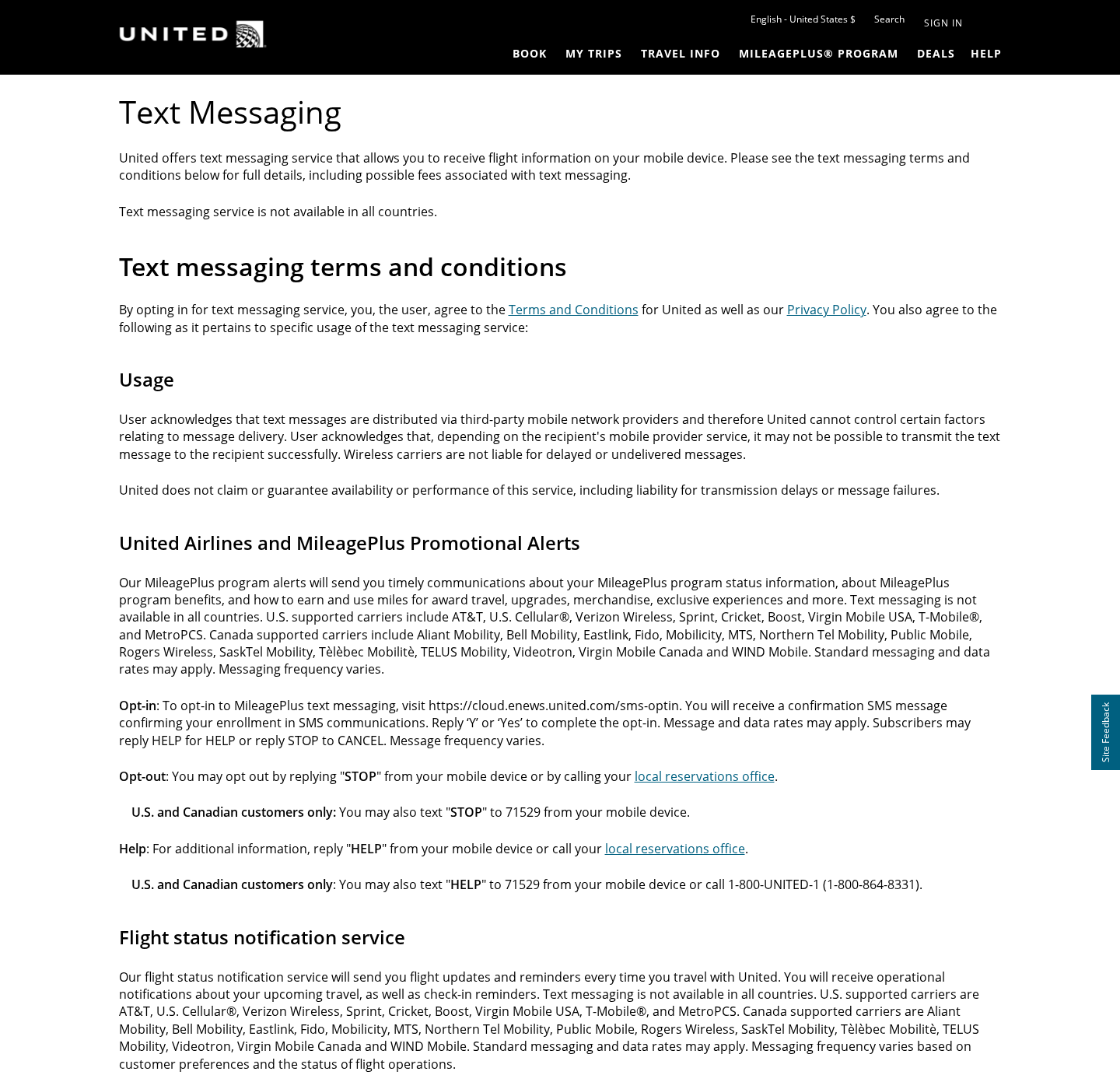
United documents 26266 for flight texts
- United’s text messaging terms list 26266 for flight status updates and reminders in the US and Canada.
- Flight reminders can be shared with another person, so a text can concern a trip you are not taking.
- The SMS terms list a different number, 71529, for the MileagePlus promotional program they describe.
Verify the flight and your reservation separately
- Search the flight number and exact departure date in the official status tool.
- Open your trip independently for your booking, itinerary and any available rebooking choices.
- Do not pay a person who contacts you to offer an urgent seat, voucher or refund.
A status message does not finish the next action
- A check-in reminder is not a boarding pass, and a cancellation alert does not choose a replacement flight.
- Keep the old itinerary until the airline or booking agency confirms the new one.
- Use the verified refund or booking channel if you need to recover money.
The text is a delivery method, not the authority that decides your options. Match it to the airline’s actual record before changing anything.
How to Check a 26266 Flight Message
Step 1: Identify the flight and the actual travel date
Start with the original reservation confirmation, saved itinerary or boarding pass. Note the departing airport, date and flight number without relying on the message to supply those facts.
Open United flight status directly or use the flight status section inside the United app. Search for the flight and departure date from your original record.
Check the number as well as both airports. A nearby airport or a flight with a similar time is not the itinerary you meant to check.
Pay attention to departure and arrival dates on overnight flights. The arrival date can be different from the date you need in a departure status search.
On a codeshare, check the operating carrier’s flight number on your reservation. A flight sold under the United name may use a different number in another airline’s status system.
A change confirmed by the airline’s status record can be real even if the text arrives late. Keep checking the official display or airport screens for later changes.
Step 2: Open your booking before you change your plans
Use the United app’s trip area or go to United My Trips separately. Open the right reservation using your original booking details or account.
Compare the itinerary, the traveler’s name and the status of any segments that follow the affected flight. A delay does not show whether a connection was changed.
If the trip view offers a new flight, check the date, airports and connections before you select it. Make sure everyone in your travel party is accounted for.
A reservation change can be more consequential than the initial delay. Check whether the option needs your acceptance instead of assuming the first suggested itinerary is final.
If your booking was issued by an agency, confirm who can change or refund it.
Use the contact on the original booking confirmation, not a new support number sent by text.
A text cannot show every fare condition or seat arrangement. If you see a charge or restriction you cannot explain, ask United or your ticket issuer before accepting the change.
Step 3: Verify the result before dropping the original plan
If you accept a replacement, go back to the trip list and look for the updated segment. Keep the confirmation number or receipt for the action you actually took.
Check whether you need a new boarding pass after a gate, flight or seat change. Do not assume an old pass will update merely because a separate text arrived.
If the app shows a different gate from an airport display, ask airline staff where to go.
A real text may have been accurate when it was sent and outdated now.
Do not leave the airport based on a cancellation text alone if your reservation still looks active. Ask the carrier to confirm the current schedule and your next options.
For a cancellation with no satisfactory replacement, ask which refund route applies before accepting a voucher. An optional credit and a request for the original payment are different choices.
If you booked lodging or ground transport separately, contact those providers after you verify the airline change. They cannot identify what happened to your ticket from the text alone.
Match the Message to the Job You Actually Need Done
A gate or time change belongs in flight status
If the message names a new gate, match the flight, then check the terminal as well. A gate can have a similar number in another part of a large airport.
For a delay, compare the updated departure estimate and any boarding information. Do not assume the airline also changed the latest time to arrive for check-in.
When conditions are changing quickly, use flight status as a current reference rather than a promise. Recheck it before walking to another gate or changing your departure plan.
Someone picking you up can verify the arrival time with the public flight number. They usually do not need a copy of your ticket or your account password.
A check-in reminder is only a reminder
When you are ready to check in, start from your confirmed reservation in the genuine app. Select the correct traveler and look for the completed check-in and boarding pass.
If a third-party message asks you to enter a passport number, close it. If travel documents are required, use the official booking workflow or ask an airline agent.
Sometimes an international, partner-operated or otherwise restricted flight may require an agent to complete a check. An error is not permission to send your documents by SMS.
If somebody else is traveling and you receive their reminder, ask them privately if they shared the flight.
Do not open their account or try to check in on their behalf.
A refund claim needs the original booking and payment record
United has an official refund request and status page. Open it separately if United issued the ticket or directed you to that route.
Choose the request option and add the affected flight or purchase. Review the eligible items, provide a reachable contact, and keep any confirmation returned by the genuine form.
A refund request is not the same as approval.
If you already submitted one, use the official status option to check it rather than assuming a text authorizes a second request.
For reimbursement of disruption expenses, United directs travelers to its Customer Care process.
Keep receipts for the claimed items rather than treating a ticket refund as a decision about those costs.
Do not send a transfer, buy gift cards, or use a wallet link to release a refund. Ask the ticket issuer about the actual refund and payment method instead.
Why You Can Receive a Real United Text Without Having a Ticket
United’s terms describe a flight reminder feature that can share flight information with other people. A traveler may have added a number so someone else can follow the trip.
A reserved flight and a shared alert are different. A status message sent to your phone does not by itself prove a ticket was purchased in your name.
If the itinerary is familiar to a family member, verify that with them using your usual contact. You do not need their booking code to follow a public flight.
If you receive recurring updates for trips nobody recognizes, tell United which number is affected and when. Avoid collecting additional traveler data from links in the messages.
For a verified flight update program you no longer want, United documents STOP to 26266 in the US and Canada. That changes delivery rather than altering a booking.
United’s separate MileagePlus promotions use different enrollment instructions and a different published code in its terms. Do not assume that ending one program ends all messages from United.
If notification delivery is useful, check the number in your United profile or confirm it during booking or check-in. Use United’s published preferences to choose the correct mobile number.
A wrong recipient can still receive a genuine message, and a genuine update can still be followed by a fake agent. Decide which question you are trying to answer first.
Check the Connection, Not Just the First Flight
Start with the itinerary and identify which leg changed. A new arrival time on the first flight can affect a later connection even when the destination hasn’t changed.
Look at local dates and times for both airports. A flight that leaves before midnight and arrives the next day can appear under different dates in a public lookup.
Check the boarding pass again after a change. If it still shows the old departure, reopen the reservation rather than assuming a banner in the app corrected it.
If the operating carrier has changed, verify which app or airline desk manages check-in for that leg. Don’t assume the airline that sold the ticket handles both.
If you booked several passengers together, verify that the proposed change includes everyone. Don’t assume that the itinerary displayed on one saved boarding pass applies to each traveler.
If two legs are on separate tickets, contact the second carrier before changing the first leg. One airline may not be able to change a ticket issued by another.
A seat assignment can change without canceling your ticket. Check whether the new itinerary shows a confirmed flight, then resolve seat selection with the airline separately.
If the alert is about checked bags or a special assistance request, ask how the change affects that arrangement. Saving the new itinerary alone may not answer that question.
For a same-day problem at the airport, verify the change in the official app or with a staffed airline desk.
An unfamiliar number in a text is not your only option.
Before accepting a replacement flight, compare the new airport and destination with what you booked. Be especially careful where a city name covers more than one airport.
If no replacement works, ask who issued the ticket and where to send a refund request. Save any confirmation that distinguishes a refund from a travel credit.
A screenshot of a flight status page can be useful evidence of the time you checked. For a booking dispute, preserve the ticket receipt and the actual change notice too.
What to Do If You Received an Unexpected United Flight Text
- Keep the original booking and look up the affected flight separately. Check the departure date, route and official status rather than opening the provided link.
- If you are actually traveling, open the confirmed reservation and check what happened to each segment. Ask verified support when the records disagree.
- If someone says a change requires an urgent payment, verify the amount and seller in your original booking channel. Do not read out a security code.
- For a supposed refund, open the airline’s official page or contact the agency that issued the ticket. Save the request confirmation and payment record.
- If you entered a password on an unverified page, use the official account to change it. Report unexpected reservation or MileagePlus activity to verified support.
- If you shared card information or transferred money, contact the issuer promptly. Save the text and receipts without posting travel documents or codes publicly.
A notification alone is not a reason to cancel your payment card or discard a real booking. Act on the account information or payment exposure you can establish.
If you need an immediate answer at an airport, use an airline counter or a published contact. Travelers under time pressure should not have to judge a link on sight.
Frequently Asked Questions
Is 26266 a real United Airlines text number?
United lists it in the US and Canadian terms for flight status and reminder programs. That does not mean every message claimed by that sender is reliable.
Can I check a delay without opening the message?
Use United’s flight status tool and enter the flight and date from your original itinerary. Open the reservation separately if the alert affects your ticket.
Can somebody else add my number to a United reminder?
United describes a feature for sharing flight reminders with other people. Confirm the trip directly with the traveler instead of signing into a page from the alert.
Does a cancellation text show what flight I was moved to?
It may describe a disruption without showing the updated reservation. Verify the itinerary in My Trips or with the ticket issuer before relying on any proposed replacement.
Does STOP to 26266 cancel my flight?
United documents STOP for ending texts from the verified program in the US and Canada. You need the actual reservation or ticket issuer to cancel a flight.
Where can I verify a promised United refund?
Open the official United refund status page separately if you submitted the request there. For agency-booked tickets, determine who issued the ticket and which refund process applies.
The Bottom Line
Use 26266 as a clue to the notification program, not the place to buy a new seat or release money. Verify the flight’s status and your own booking separately.
If the alert asks for money or a code, contact the real airline or ticket issuer. If you already paid, report the charge to your card issuer.

Join the discussion
0 commentsShare your experience or ask a question about this article.
Discussion
Start the conversation
Have a question or something useful to share? Add the first comment.