


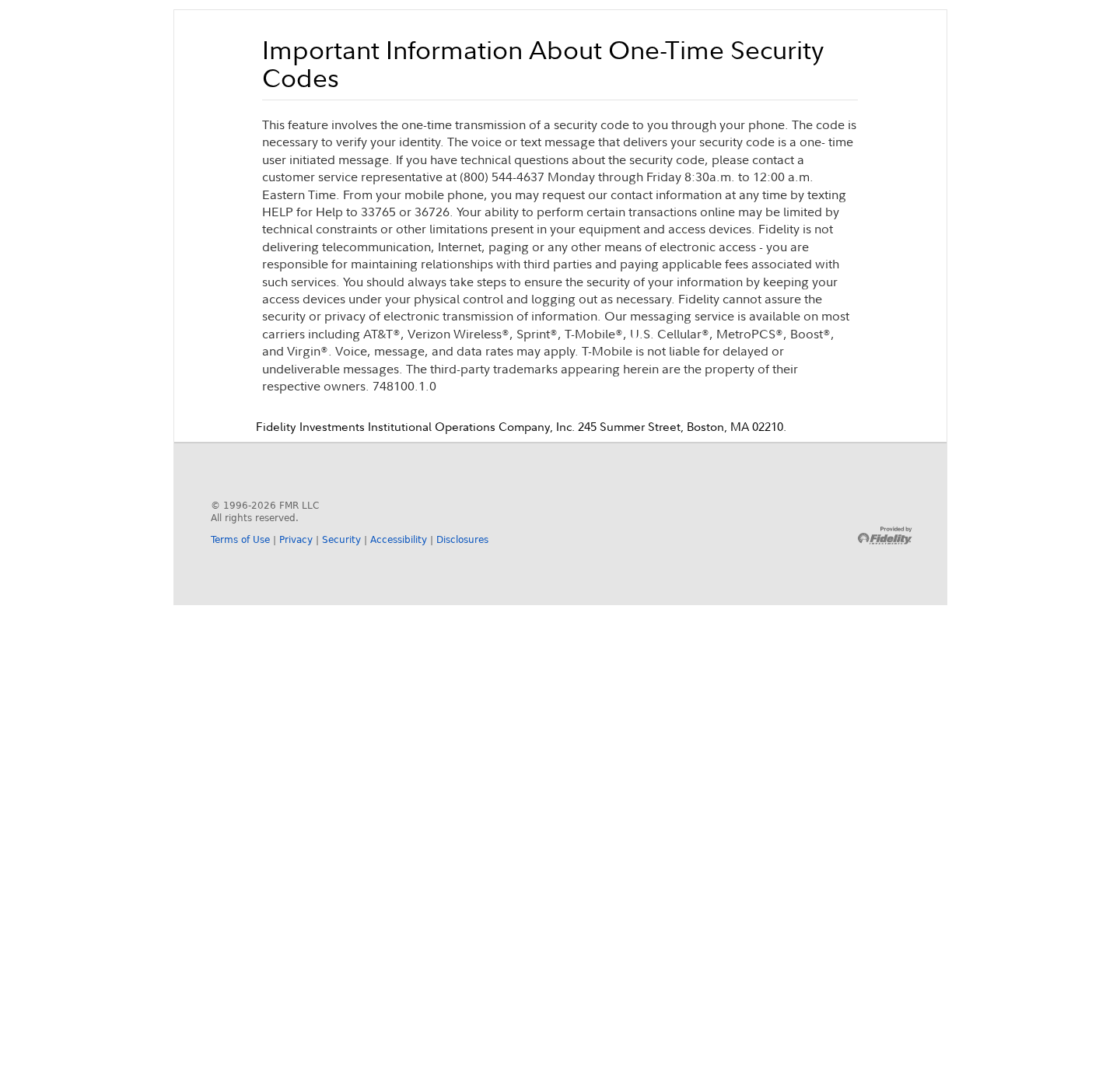
Fidelity Investments lists 36726 as a sender for one-time security codes. If one arrives when you haven’t asked for it, don’t give it to anyone.
An unexpected code doesn’t prove someone signed in. You can check for profile changes, new bank instructions and pending transfers without using the message or answering a caller.
Overview
What a 36726 text can mean
- Fidelity lists this number for multi-factor authentication, alongside other senders that can deliver one-time codes.
- An expected code belongs to the Fidelity action you started yourself, not to a person who contacts you afterward.
- An unexpected code may reflect an attempted sign-in or another verification request, but it doesn’t tell you what succeeded.
Which details need a separate check
- An unfamiliar phone number or email in Profile matters because your account notices and future verification could go to the wrong person.
- A transfer you don’t recognize requires prompt attention even if the displayed account balance hasn’t changed.
- A caller who mentions a recent message does not become a verified representative merely by knowing that a code arrived.
What to do before anything else
- Open Fidelity independently, not through the link in a message that claims to be about your account.
- Keep the code private while you check the account and gather the time, sender and wording for your records.
- Use the official fraud route right away if you approved an unexpected request, gave someone a code or see unauthorized activity.
What Fidelity Uses 36726 For
Fidelity’s text alert terms list 36726 under multi-factor authentication. Those messages contain one-time passcodes connected with the security methods on an account.
That is a different purpose from a standing alert about a wire or a change to your profile. The terms describe separate security alerts for those kinds of events.
The short code comes from the sender field in a text conversation. The passcode is the separate set of digits in the message, and that’s the part you should protect.
If you’re already on the official Fidelity sign-in screen and requested a text, use the passcode there. The request and the screen should match what you were doing.
A legitimate code can arrive while someone is trying to sign in to an account without permission.
The validity of the code and the legitimacy of the request aren’t the same question.
There are less alarming possibilities, including a delayed message or someone entering the wrong number.
You usually can’t distinguish those from an attempted account action by looking at the short code alone.
Fidelity’s guidance on suspicious texts recommends avoiding unexpected links and numbers supplied in the message. The decision to open a separate session can be made before you classify the text.
That distinction also matters when the text looks innocuous. The request to hand over a code could come later by phone, with nothing unusual in the original code message itself.
How to Check the Request Without Sharing the Code
Step 1: Match the code to the action you started
Consider what you were doing when the text arrived.
A code that appeared during a sign-in you just began has a different explanation from one arriving while you were away from Fidelity.
Check the original browser tab or app you opened yourself. If that session isn’t asking for the code, don’t enter it somewhere else to see whether it works.
If you deliberately backed out of a sign-in, let the unused code expire. Reopen Fidelity and start again if you still need to access your account.
If a contact says you must read the code back so they can cancel a transfer, end the conversation. Check Activity & Orders yourself or call through Fidelity’s official site.
Don’t ask the caller to prove their identity by reciting your account details. Knowing an old address, part of an account number or your name doesn’t establish authorization.
Step 2: Check your profile and activity in the official account
Open the installed Fidelity app or type Fidelity’s address into your browser.
For an employer plan, use your usual NetBenefits route rather than assuming every account is in the retail app.
On the retail account, open Portfolio Summary and select Activity & Orders. Fidelity’s account help page distinguishes completed activity in History from Pending Transfers and Bill Payments.
Look at the account that the notice seems to concern, but check your other linked Fidelity accounts if the message didn’t identify one.
Don’t expect the app to show every rejected attempt.
A completed transfer and a pending request call for the same first move if neither is yours: contact Fidelity promptly. Ask whether the institution can stop or trace it.
In Profile, verify your email address and phone number. Under account features, look at the bank accounts linked to Fidelity and note anything you don’t recognize.
Compare dates and amounts with the actions you actually took. A genuine scheduled transfer appearing today may reflect a request you set up earlier, not a new sign-in.
Step 3: Escalate from a route you choose yourself
If you see an unauthorized change or can’t get into the account, use Fidelity’s security reporting page on a device you trust.
Choose the phone route for a blocked or compromised account.
Fidelity says secure email is available when you can sign in safely, but it isn’t the way to address an active transfer.
If the plan belongs to an employer, use NetBenefits’ security incident instructions. Have the account type and time of the message ready when you call.
Explain the difference between receiving the code and giving it to someone. Tell Fidelity whether you also entered a password, accepted a push request or opened a link.
If a transfer is visible, provide the amount, last known status and date through that verified channel. Keep the reference number Fidelity gives you for any later follow-up.
A Real Security Text Can Arrive During a Fake Support Call
The issue is not whether an incoming caller can predict that you received a code. It’s whether you authorized the action for which the code was sent.
Fidelity describes an impersonation scenario in which a caller asks a customer for a real passcode produced by an unauthorized account action.
That explains why checking the sender can leave someone with the right fact and the wrong conclusion.
The code may genuinely come from Fidelity while the person asking for it does not.
If someone calls just as the message arrives, don’t let the timing force an immediate answer. Hang up and bring up the account on a route you can verify.
The same reasoning applies to an unexpected push prompt. Only approve one that belongs to a sign-in or transaction you recognize and are currently completing in a verified session.
Answering a call on its own doesn’t grant access. Telling someone the code, confirming a prompt or entering credentials on a page they supplied changes what you need to report.
Don’t read out a code as a test of whether the caller is real. Even a caller describing an actual transaction should be verified using an independently initiated call.
If you’ve started a real support call using a confirmed number, follow Fidelity’s instructions for that call. This guide concerns unexpected requests, not authentication you deliberately began.
Check the Account Controls That Can Reveal a Change
Confirm where your next security notice will go
Compare the listed email address and mobile number with contact information you control. Don’t just check that a familiar number appears somewhere if an additional one has also been added.
If you find an unexpected change, record what differs before following Fidelity’s recovery process. Ask the representative to help restore the correct information and confirm it can receive notices.
Review trusted devices or sign-in preferences through the Security Center where your account offers them. Remove devices you don’t recognize after discussing a suspected compromise with Fidelity.
Make sure the email account receiving Fidelity notices is still under your control. If its password was shared or you see unauthorized changes there, secure the email account too.
Separate transfer protection from transfer recovery
Fidelity lists Money Transfer Lockdown among its account security features. Check which accounts and transfer types it covers before relying on it, especially if you have scheduled payments.
If you already see an unauthorized transfer, call before spending time changing settings. A protection switch is not proof that an existing instruction stopped or money returned.
If nothing looks wrong but the codes keep arriving, use a verified support route and tell Fidelity when they started. Repeated messages are worth reviewing even without visible activity.
If you share an account, ask the other authorized person what they were doing. Don’t forward the code, even to someone who usually handles the household’s finances.
What to Record Before You Contact Fidelity
Write down when the notice arrived and what you were doing at the time. Keep the short code and the wording, but don’t copy a live passcode into your notes.
If you received a call afterward, record the number displayed and how the person described the problem.
A number on a call log is evidence to preserve, not a number to dial back.
List the information you actually shared. Saying your name, providing a password, reading back a one-time code and approving a prompt are different exposures.
If you never responded, say that clearly when you report the message. An unexpected attempt is worth checking, but it doesn’t justify telling the firm that money was stolen.
A screenshot of a transfer can help you explain what happened, especially if its status changes before you call. Share account-specific evidence only through the secure route the firm verifies.
Ask which accounts Fidelity checked and what action it took. If another institution received an unauthorized transfer, ask whom to contact there and which reference details to provide.
When you can access the official account again, compare pending and completed records from the period when the messages arrived. Include transfers, trades and profile changes, not only withdrawals.
If you already contacted your bank, keep its case number separate from the Fidelity reference.
Save the dates and names attached to each so the institutions can follow up without confusion.
If you recently changed phones, confirm which device and number are registered before blaming the unfamiliar message on fraud.
Use Security Center options or ask Fidelity to verify the account’s security setup.
If your phone has also stopped receiving ordinary calls and texts, use another device to contact Fidelity and your mobile carrier. Missing service can make recovery instructions harder to receive.
Later, revisit your account from a trusted device to confirm the changes Fidelity said it made.
Keep monitoring account activity instead of assuming the absence of another code closes the matter.
What to Do Based on What You Shared
- If you only received the code, don’t reply or approve anything. Check your account independently and note the time if the messages continue.
- If you opened a link without supplying information, close it. Check whether the page downloaded anything or asked for permissions before deciding whether device cleanup is relevant.
- If you supplied a password, change it through the genuine Fidelity route on a trusted device. Change any other account using that same password.
- If you disclosed a passcode or approved an unexpected request, call Fidelity immediately. Ask the team to check pending transfers, contact changes and any newly linked accounts.
- If you installed remote access software at someone’s request, disconnect that device from the network and contact Fidelity from a separate device. Get help removing the remote access tool.
- If money moved without authorization, save the transfer details and ask Fidelity how to dispute or trace it. Don’t pay anyone who promises to recover it for you.
Frequently Asked Questions
Is 36726 really a Fidelity short code?
Yes, Fidelity lists 36726 among its senders for one-time authentication codes. That identifies a documented use, not whether a particular attempt or follow-up call is yours.
Does an unexpected code mean someone knows my password?
No, it doesn’t prove that by itself. You can’t determine from the text alone whether someone attempted a login, chose the wrong number or completed an action.
Should I call the number included in the text?
Use a number from Fidelity’s official site or the contact route you already trust. If you suspect active fraud, go directly to the published security reporting instructions.
Can I see whether an unfamiliar transfer has finished?
On the retail site, check History and the pending section under Activity & Orders. If a transfer isn’t yours, report it without waiting for the status to change.
Should I reply STOP to an unexpected Fidelity code?
You don’t need to reply to protect the account. Change your security and contact preferences through the official account settings or get help through an official Fidelity support route.
Does a 36726 text mean my device has malware?
No, receiving the text does not indicate an infection. Device cleanup is relevant if you installed software, accepted remote access or encountered other concrete signs of compromise.
The Bottom Line
The 36726 code is documented by Fidelity, but it doesn’t authorize the person who asks you for it. Keep the code within a Fidelity session you deliberately started.
If the request isn’t yours, check contact details and Activity & Orders separately. If you shared the code or find a change, use Fidelity’s official fraud route immediately.

Join the discussion
0 commentsShare your experience or ask a question about this article.
Discussion
Start the conversation
Have a question or something useful to share? Add the first comment.