
RAVBg64 Process: Why Is It Running In Task Manager?
When you open the Task Manager on your Windows computer, you may come across a process called RAVBg64.exe running in the background. This process … Read more
Author · 61,116 articles · page 302
Stelian leverages over a decade of cybersecurity expertise to lead malware analysis and removal, uncover scams, and educate people. His experience provides insightful analysis and valuable perspective.
When you open the Task Manager on your Windows computer, you may come across a process called RAVBg64.exe running in the background. This process … Read more
When you open the Task Manager on your Windows computer, you may come across a process called “SecurityHealthService” running in the background. This process … Read more
When you open the Task Manager on your Windows computer, you may notice a process called “Microsoft Office Click-to-Run Service” running in the background. … Read more
When you open the Task Manager on your Windows computer, you may come across a process called “SynTPEnhService” running in the background. This process … Read more
When you open the Task Manager on your Windows computer, you may notice a process called “Windows Presentation Foundation Font Cache 3.0.0.0” running in … Read more
When you open the Task Manager on your Windows computer, you may come across a process called “AMD FUEL Service” running in the background. … Read more
When you open the Task Manager on your Windows computer, you may come across a process called “SetupHost.exe” or “SetupHost.exe (32 bit)”. This process … Read more
Task Manager is a powerful tool in Windows that allows users to monitor and manage running processes on their computer. It provides valuable insights … Read more
When you open the Task Manager on your Windows computer, you may notice a process called WmiPrvSE running in the background. This process, also … Read more
When you open the Task Manager on your Windows computer, you may notice a process called “Spooler SubSystem App” running in the background. This … Read more
When you open the Task Manager on your Windows computer, you may notice a process called “Service Host: Offline Files” running in the background. … Read more
When you open the Task Manager on your Windows computer, you may come across a process called WmiApSrv. This process might raise some questions … Read more
When you open the Task Manager on your Windows computer, you may come across a process called WUDFHost.exe running in the background. This process … Read more
When you open the Task Manager on your Windows computer, you may notice a process called “HP Support Solutions Framework Service” running in the … Read more
If you have ever looked at the processes running in your Windows Task Manager, you might have noticed a process called CTF Loader or … Read more
When you open the Task Manager on your Windows computer, you may come across a process called “HP System Event Utility” running in the … Read more
When you open the Task Manager on your Windows computer, you may notice a process called “HP Client Services” running in the background. This … Read more
Task Manager is a powerful tool in Windows that allows users to monitor and manage running processes on their computer. It provides valuable insights … Read more
When you open the Task Manager on your Windows computer, you may come across a process called “AMD External Events Client Module” running in … Read more
When you open the Task Manager on your Windows computer, you may notice a process called “Service Host: Device Setup Manager” running in the … Read more
When you open the Task Manager on your Windows computer, you may notice a process called “Dell Power Manager” running in the background. This … Read more
When you open the Task Manager on your Windows computer, you may notice a process called “Service Host: Windows Audio” running in the background. … Read more
When you open the Task Manager on your Windows computer, you may notice a process called “Dell Support Center” running in the background. This … Read more
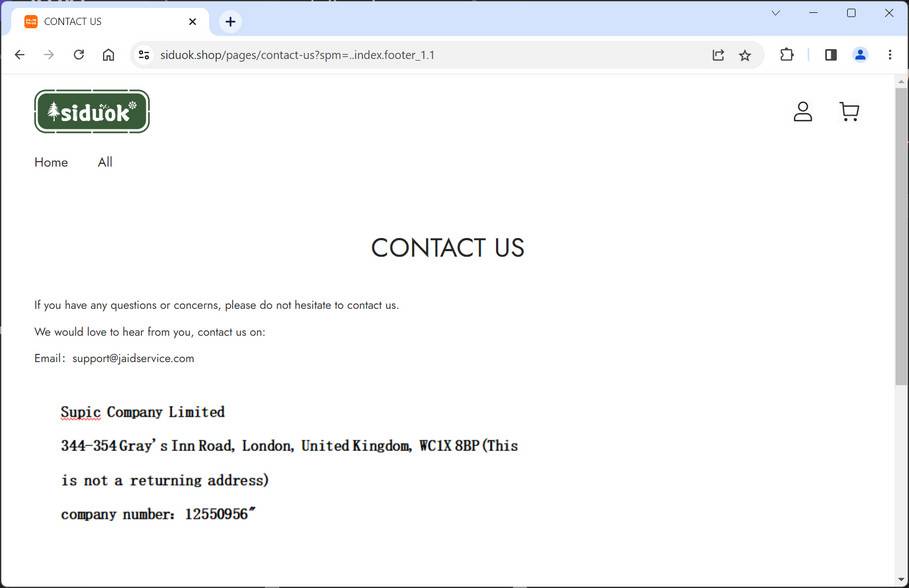
Siduok.shop is a scam website that you should avoid at all costs. It claims to sell various items at very low prices, but it … Read more
Task Manager is a powerful tool in Windows that allows users to monitor and manage running processes on their computer. It provides valuable insights … Read more
When you open the Task Manager on your Windows computer, you may notice a process called “Service Host: Windows Defender Advanced Threat Protection Service” … Read more
Task Manager is a powerful tool in Windows that allows users to monitor and manage running processes on their computer. It provides valuable insights … Read more
Service Host: Superfetch Process: Why Is It Running In Task Manager? When you open the Task Manager on your Windows computer, you may notice … Read more
Task Manager is a powerful tool in Windows that allows users to monitor and manage running processes on their computer. It provides valuable insights … Read more
When you open the Task Manager on your Windows computer, you may come across a process called “Service Host: Distributed Link Tracking Client” running … Read more
When you open the Task Manager on your Windows computer, you may notice a process called “Service Host: Windows Defender Firewall” running in the … Read more
Task Manager is a powerful tool in Windows that allows users to monitor and manage running processes on their computer. It provides valuable insights … Read more
When you open the Task Manager on your Windows computer, you may notice a process called “Service Host: DHCP Client” running in the background. … Read more
When you open the Task Manager on your Windows computer, you may notice a process called “Service Host: Connected User Experiences and Telemetry” running … Read more
When you open your Task Manager on Windows, you may notice a process called “Movies & TV” running in the background. This might raise … Read more
When you open the Task Manager on your Windows computer, you may come across a process called “Alarms & Clock.” This process might raise … Read more
When you open the Task Manager on your Windows computer, you may come across a process called “Service Host: Data Sharing Service” running in … Read more
When you open the Task Manager on your Windows computer, you may come across a process called “Service Host: Telephony” running in the background. … Read more
Task Manager is a powerful tool in Windows that allows users to monitor and manage running processes, applications, and system performance. It provides valuable … Read more
When you open the Task Manager on your Windows computer, you may notice a process called “Service Host: Windows Defender Antivirus Service” running in … Read more
When you open the Task Manager on your Windows computer, you may notice a process called “Service Host: Windows Remote Management” running in the … Read more
When you open the Task Manager on your Windows computer, you may notice a process called “Mail” running in the background. This can be … Read more
When you open the Task Manager on your Windows computer, you may notice a process called “Maps” running in the background. This can be … Read more
When you open the Task Manager on your Windows computer, you may come across a process called “Service Host: ActiveX Installer” running in the … Read more
When you open the Task Manager on your Windows computer, you may notice a process called “Service Host: Windows Error Reporting Service” running in … Read more
When you open the Task Manager on your Windows computer, you may notice a process called “Service Host: Windows Font Cache Service” running in … Read more
When you open the Task Manager on your Windows computer, you may come across a process called “Service Host: Microsoft Software Shadow Copy Provider” … Read more
When you open the Task Manager on your Windows computer, you may notice a process called “Service Host: Network List Service” running in the … Read more
When you open the Task Manager on your Windows computer, you may notice a process called “Service Host: Windows Update” running in the background. … Read more
Task Manager is a powerful tool in Windows that allows users to monitor and manage running processes on their computer. It provides valuable insights … Read more