Planned software upgrade - Feedback

Status
Not open for further replies.
Can you try it on a different browser to check if it is only an issue on your primary one? Make sure the other browser you test it on relies on a different browser engine internally (e.g. Chromium, WebKit, Gecko, etc.).
It's the same in Edge. It's strange because I use no web filtering software, just ad blockers in Cent (Chrome based) and Edge, which are not blocking anything from MalwareTips.
 
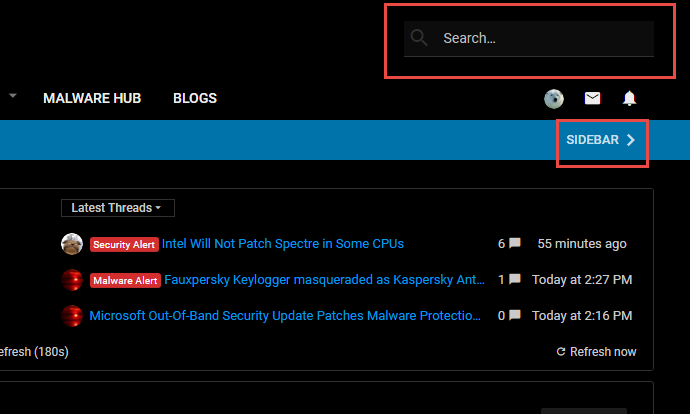
Would be great if Security related threads (like as Malware HUB ones, Malware Alerts,...) could get a red badge as previous?
.. all badges are blue and therefore hard to distinguish.
I know, I might be to picky :D
For Malware Hub / Analysis:

Malware Analysis
1522844062864.png


Malware Samples
1522844155394.png


Malware Pack
1522844172428.png


Special Samples
1522844119658.png


For the AV Testers:

1522844264598.png
 
It's the same in Edge. It's strange because I use no web filtering software, just ad blockers in Cent (Chrome based) and Edge, which are not blocking anything from MalwareTips.
Have you tried actually disabling the ad-blocker? Even if it claims to not be blocking anything from MalwareTips, it could be a good idea to disable it temporarily to test say on case... Since you have them on both browsers and both browsers are incorrectly working with the notifications.
 
@Opcode I just disabled Adblock Plus, to see if that will help.
I'm going to go through some of your previous posts and put a Like on them to give you a few test notifications. Close the MalwareTips window and re-check in exactly 2 minutes to see if the red alert circles are on the notification icons. :)

Edit:
Done.

Hopefully when you re-check in a few minutes there will be the red circles with the numbers.
 
Status
Not open for further replies.

You may also like...