Planned software upgrade - Feedback

Status
Not open for further replies.
Started getting this again today in Slimjet.

Afz00iD.png
It happened to me too but only once or twice randomly, now everything is fine :)
Chrome here.
 
In Firefox (and Nightly), the sidebar does not toggle.
After login, sidebar is switched to ON. If I want to remove sidebar, I click several times (fast) on the sidebar button, and restart the page. As a result, sidebar is removed (=OFF).

I tried changing several settings in Firefox Preferences, but no result.
All add-ons disabled.

...For guest (not logged) - no sidebar (good!).
 
Last edited:
FOUND (4th)!

Yes, I've found another source of problems in ScriptSafe!

Problem:
In Chrome (Chrome forks) the commands in Post Reply window don't react.
With ScriptSafe enabled.

Solution:
In ScriptSafe Options, Whitelist malwaretips.com under (always notched)
"Prevent Clipboard Interference"
- so Font Size works, bolding works, Underline etc, all commands works.
With ScriptSafe enabled.
________________________

If You're fan of my "FOUND" 1-4 posts, try these posts in this same topic:

1: Post #249
2: Post #273
3: Post #279
4: Post #309 (this one)

- posted on Cent (Chrome fork).
 
Last edited:
FOUND (5th):

This is posted for history, this problem I've no more:

No possibility to write in the Post Reply window, in Firefox (and forks), was caused here by "JavaScript Whitelist 0.0.5" add-on (on the Mozilla store, the name now is: "whitelist javascript websites"), which remained in state: javascript block. The icon of this add-on was not present next to the others, this contributed to non-visibility, obscuration of this problem.
This add-on removed, no more of this problem "no possibility to write...".

But if you disable JavaScript globally with another add-on (e.g. "Whitelist JavaScript 1.7", called now on the Mozilla store: "Whitelist or Blacklist JavaScript" - here: Whitelist or Blacklist JavaScript – Add-ons for Firefox) - or another: ScriptFilter - updated recently for Version 3.2 - Released March 30, 2018 - 50.3 KiB) - the "no write" usability problem come back.

So if you don't block globally JavaScript, everything would be good in MT "Post Reply" window...
 
Last edited:
The header in the MWT 2018 Beta theme is really nice at the moment. (y)

I start to belive the logo and everything else, links search option etc in the headers top bar should be in the same spot as the MVT 2018 Beta even in the midnight theme because you simply don't have to move your eyes as much. It also looks more clean and professional IMO.
 
In this new version when i hover the cursor over the alerts, avatar and conversations icon nothing happens.
I have to click on the icons to see what is there.
While on the previous version i just hovered over the icons and for example i could see the alerts.
Can this be restored?
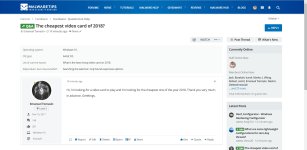
 
In this new version when i hover the cursor over the alerts, avatar and conversations icon nothing happens.
I have to click on the icons to see what is there.
While on the previous version i just hovered over the icons and for example i could see the alerts.
Can this be restored?
Sure, I think this is the new software behavior, however it's not hard to change it. It's on my to-do list.

---
Made some more changes to the MWT 2018 BETA style, feedback is welcomed.
1.jpg
 
Last edited:
I like it too. I have another issue with Google Chrome.
Because my display runs at a zoom of 125% some smileys are cut off:
Chrome:
Smileys Chrome.JPG

Same post in Edge:
Smileys Edge.JPG


This happens also on the default theme.
 
  • Like
Reactions: Prorootect
Because my display runs at a zoom of 125% some smileys are cut off
XenForo uses one PNG file which will have all of the emoticons on it beneath one another, so when you add an emoticon into the post, it will use the same PNG for every single emoticon except the image's content position will be changed to put the right emoticon into view.

So it must be the positioning and hence that is why your emoticon is being cut off on Google Chrome. You can see from your demonstration image that half of another emoticon is being showed as well.

I'm using Google Chrome (latest version) and I haven't had this problem though... I am also on Microsoft Edge and there's no issue there. I can't seem to replicate the issue while using 125% or 150% zoom on either Google Chrome or Microsoft Edge either.

It might be worth a shot to see if the issue doesn't happen when you put the zoom back to default to test it.
 
Restart of the MT page, events I'm reading at the bottom left of the page:

Waiting for malwaretips.com...(for a long time)
Read cdn.materialdesignicons.com...
Waiting for malwaretips.com...
Read...
The TLS handshake..
Transferring data from cdn.materialdesignicons.com...
Transferring data from fonts.googleapis.com...
Waiting for malwaretips.com...
Transferring data from fonts.gstatic.com...
Read...
Waiting...etc etc

More 3rd party JavaScript scripts = more waiting, so bigger load time, we saw this...
For now I see 3 third-party scripts, then is coming 4th: fonts.gstatic.com...Al these are blocked here by 3PRB add-on; but website is functionning OK. with block of these scripts.
Bigger resource hogs are DOM Processing, Parse (why this ajax.googleapis.com?), and too DOMContentLoaded Event (says Load Time add-on).

On gtmetrix.com: GTmetrix Performance Report: A (95%) / B (82%) , Latest Performance Report for: MalwareTips - Your Security Advisor

Performance Scores

A PageSpeed Score
(95%)

B YSlow Score
(82%)

Page Details

Fully Loaded Time
1.6s

Total Page Size
574KB

Requests
36
 
Last edited:
Just my personal opinion.
At the moment i like the MT 2018 style than the Beta.
Letters are more easy to read than the Beta.
About Midnight style i like it but i think the brightness of the letters should be turn down just a bit.
For my taste letters are a bit more bright than i want.
I will check the styles again and i will give my feedback ( always my personal opinion:))
Thanks @Jack for the great work
 
Status
Not open for further replies.

You may also like...
